
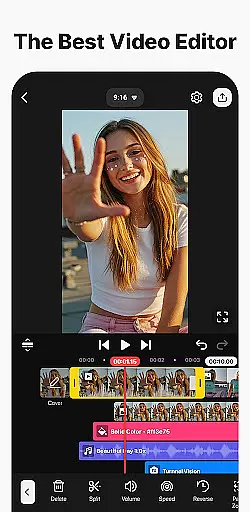
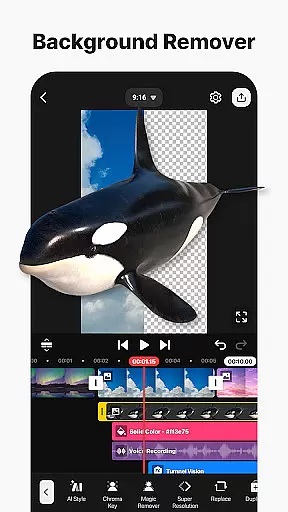
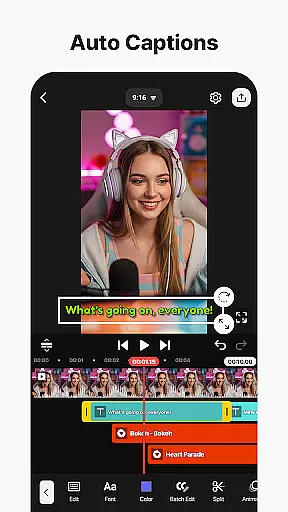
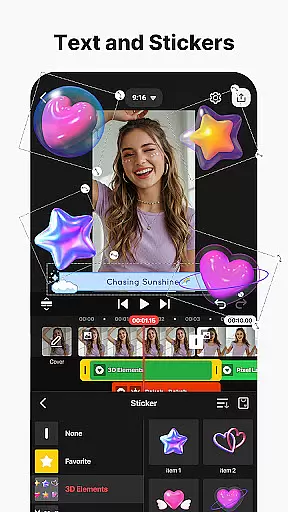
KineMaster is a powerful video editing application designed for both amateur and professional content creators. The app offers an extensive suite of AI-powered tools that simplify complex video editing tasks, making it easy to create high-quality videos for various platforms like YouTube, TikTok, and Instagram. With features such as AI Auto Captions, AI Text-to-Speech, and AI Noise Removal, users can enhance their videos with minimal effort.
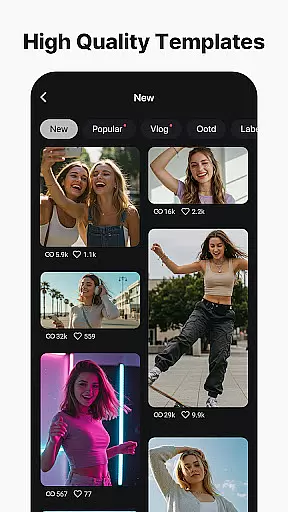
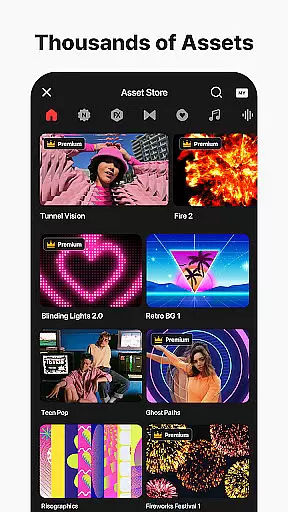
Additionally, KineMaster provides advanced editing capabilities including keyframe animation, chroma key (green screen), and speed control, which allow users to produce professional-grade videos. The app also includes thousands of templates, effects, stickers, music tracks, and fonts, enabling users to jumpstart their creativity and make their videos stand out. Whether you're editing movies, vlogs, or short clips, KineMaster ensures your content is polished and ready for sharing.
KineMaster stands out with its comprehensive set of AI tools designed to streamline the video editing process. These include AI Auto Captions for instant subtitles, AI Text-to-Speech for creating spoken audio from text, and AI Vocal Separator for splitting songs into vocals and music. Such features ensure that even complex edits can be executed quickly and efficiently.
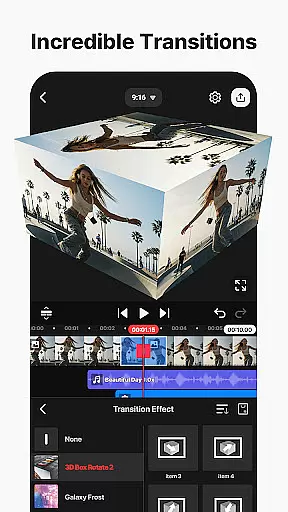
Beyond AI capabilities, KineMaster offers professional-grade tools like keyframe animation, chroma key, and speed control, allowing users to adjust every aspect of their video layers. The app supports multi-layer editing, magnetic guides, and full-screen previews, ensuring precise and enjoyable editing experiences. Moreover, KineMaster's Asset Store provides tens of thousands of resources including effects, transitions, stock videos, and stylish fonts, empowering users to craft visually stunning videos tailored to their unique vision.
Video format compatibility is a crucial feature for any video editing application, ensuring that users can work with a wide range of file types. KineMaster excels in this area by supporting an extensive array of video formats, allowing creators to import and edit footage without worrying about conversion issues.
The app's advanced codec support enables seamless integration of various media elements, including high-resolution 4K videos at 60 frames per second. This versatility ensures that content creators can maintain the highest quality standards throughout their editing process, regardless of the source material's original format.
Furthermore, KineMaster's compatibility extends beyond just video files; it also encompasses audio tracks, images, and GIFs. This comprehensive support allows users to incorporate diverse media types into their projects, enhancing creative possibilities while maintaining smooth workflow efficiency.
AI-powered editing features have revolutionized the way users approach video production, making complex tasks more accessible than ever before. KineMaster incorporates cutting-edge artificial intelligence tools that significantly enhance the editing experience for both novice and professional creators.
The application's AI suite includes remarkable features such as Auto Captions, which generates subtitles from audio or video content instantly. Additionally, its AI Vocal Separator technology allows users to split songs into vocals and instrumentals with a single tap, opening new possibilities for remixing and content creation.
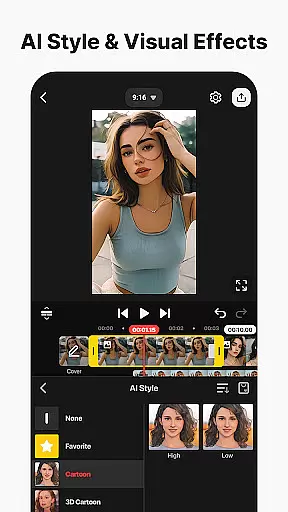
Other intelligent features like AI Noise Removal and AI Magic Removal help streamline the editing process by automatically eliminating unwanted background sounds and objects. These smart tools, combined with AI Tracking for dynamic object following and AI Style for artistic effects, create a powerful ecosystem that empowers users to produce professional-quality videos efficiently.
User-friendly interface
Extensive AI features
Professional editing tools
Vast asset library
High-quality output options
Free version has watermarks
Subscription required for premium features
Advanced tools may overwhelm beginners
Occasional performance lags
Limited offline functionality

You can play SWF format file!
 2.50
2.50
Search & download videos from net with all video downloader, auto-detect & safe.
4.60
1)AirPlay/DLNA Mirroring/Streaming, up to 4 connections; 2)Samba/NAS/DMS Player.
4.00
Video player with powerful streaming playback and various convenient features.
2.10
GENRAL PRO - General Pro is the best video player that fully supports all formats.
4.70
Powerful Video Editor & Photo Editing App —— Quick Edits & Stunning Effects!
4.30
Watch IPTV on your Android device
4.60
AI Video Editor with Music, Filter, Slideshow, Effect, Merge & Trim Video.
4.80
Fast & Private HD Video Downloader with Built-in Proxy Browser and Video Player.
4.50
Play ALL formats in 4K & HD. Video downloader, MP3 player, Chromecast & more.
4.80
An easy-to-use and all-round screen recorder with audio
4.80
Screen recorder with audio to take live videos & Screenshot in high quality!
4.70
VLC Remote lets you control your VLC Media Player on Mac, PC or Linux.
4.60
Fast & easy HD video downloader for all formats, support 4K playback & download.
4.60
Full HD Video mp3 Player, MP4 player play 1080p, File manager, Video Downloader
4.40
Browser for Samsung TV to stream webvideos, online movies and livestreams in HD
4.10
Cast to Smart TV, Fire TV. Cast video, photo - Fast & Stable!
3.90
IPTV Player - Watch live TV from m3m & m3u8 playlist, stream IPTV on mobile
3.30
Client application for NextPVR software
3.00


User Reviews