
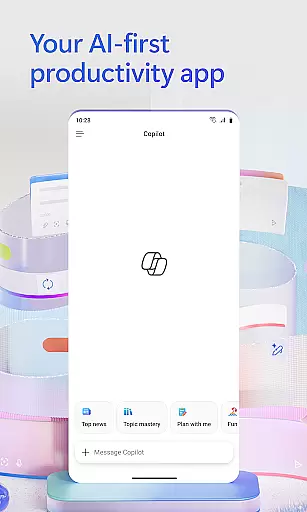
Microsoft 365 Copilot is an AI-powered productivity application designed to streamline work and personal tasks. The app serves as a centralized platform for interacting with an AI assistant, creating and editing content, scanning documents, managing projects, and quickly locating files on the go. With seamless integration across Word, Excel, PowerPoint, and PDFs, it enables users to efficiently handle various document types from one interface.
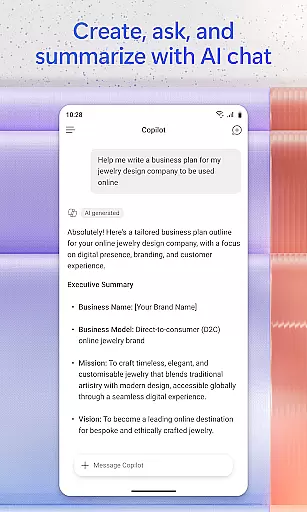
The app's core functionality includes AI-driven document summarization, email drafting, spreadsheet analysis, and voice interaction. These features help users save time by automating routine tasks and providing hands-free assistance. Whether preparing for meetings, brainstorming ideas, or analyzing datasets, Microsoft 365 Copilot ensures users stay productive in both professional and personal contexts.
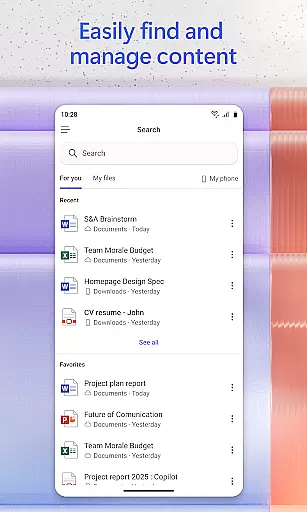
One key use case is its ability to assist remote workers who need quick access to files and efficient task management. By supporting cloud storage services like OneDrive and SharePoint, the app allows users to retrieve and edit documents anytime, anywhere. This makes Microsoft 365 Copilot a versatile tool that enhances productivity while simplifying complex workflows.
Microsoft 365 Copilot stands out with its robust set of AI-powered features tailored for productivity. A major highlight is the conversational AI assistant, which supports natural language queries to summarize documents, draft emails, and analyze spreadsheets. This feature eliminates manual effort, enabling users to focus on higher-value tasks.
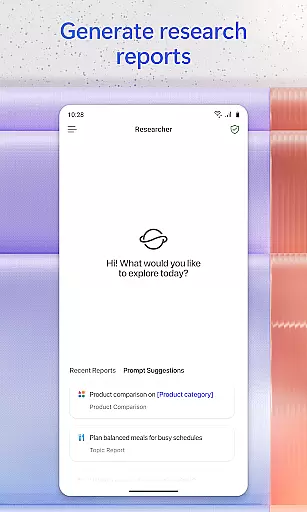
Voice interaction is another standout capability, allowing users to engage with the app hands-free. Whether preparing daily schedules, generating ideas, or retrieving specific files, this functionality enhances accessibility and convenience. Additionally, the app offers advanced tools such as Researcher and Analyst agents, which generate research reports and analyze datasets, catering to specialized needs.
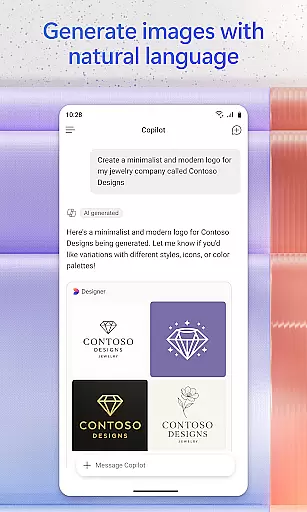
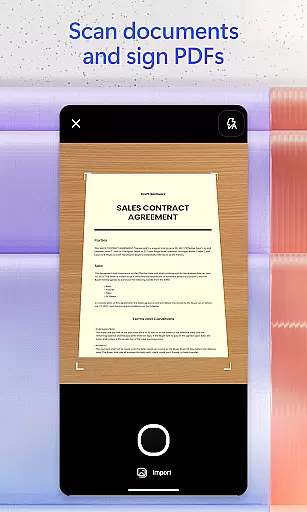
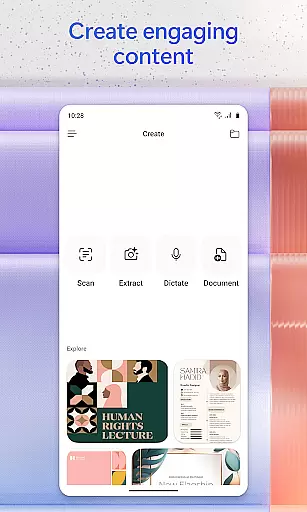
Content creation is simplified through easy-to-use templates for images, posters, banners, videos, and surveys. Document scanning and project management via Copilot Notebooks further extend its utility. These features collectively empower users to create polished outputs, organize projects effectively, and optimize their workflow with minimal effort.
Task management is a cornerstone of productivity, and Microsoft 365 Copilot excels in this area by integrating various tools to streamline your workflow. The app consolidates Word, Excel, PowerPoint, and PDF functionalities into one platform, allowing you to manage projects with ease.
With Copilot Notebooks, the app brings together ideas, documents, and links, summarizing them and connecting the dots for you. This feature not only saves time but also enhances understanding and collaboration across different tasks and projects.
Moreover, the ability to upload and save documents directly from your phone's storage means that you can access answers from Copilot anytime, anywhere. Saving Copilot-created files directly to your device ensures that your work is always at your fingertips, ready for the next step.
Cross-device synchronization is vital for maintaining productivity in today's mobile world, and Microsoft 365 Copilot delivers reliable performance in this aspect. By signing in with your work, school, or personal Microsoft account, you gain access to your files and projects across all your devices.
The app ensures that any document you edit or create is updated in real-time, providing seamless transitions between your desktop and mobile environments. This synchronization empowers you to start a project on one device and continue working on another without missing a beat.
Furthermore, the availability of features may vary, and some capabilities require specific licenses. However, the core promise of reliable cross-device functionality remains a constant, ensuring that your productivity is never compromised regardless of where you are or which device you use.
AI-powered efficiency
Versatile file support
Seamless cloud integration
User-friendly interface
Time-saving automation
Limited free features
Requires subscription
Occasional bugs
Learning curve
Dependent on internet

A Revolutionary All-in-One Artificial Intelligence Tools
 3.80
3.80
When you Focus, so will your Bean in this cozy focus timer
4.30
Smart PDF reader & editor to view, organize and manage PDF documents easily.
3.70
Make your handwriting beautiful, even more than pen on paper.
3.60
App Lock with fingerprint, password: Lock apps & hide photos with lock screens
4.60
Font maker keyboard with your own handwriting
4.10
The AI assistant that thinks with you - write, code, and solve complex tasks
4.60
A beautiful digital clock with autostart and many other functions
4.70
Lightweight PDF, Word, Excel reader.
4.60
Quickly and easily keep track of your work shifts
4.70
QuickBooks Workforce lets teams view pay info and track time in one place.
4.70
The Pro Version of Android's tiniest Notepad app. Just 0.3MB but feature-packed!
4.60
To do list widget with a notebook organizer, checklist, simple shopping list
4.60
PDF scanner & converter for files, photos, lottery, QR codes. One swipe away!
4.50
Cloud storage, automatic phone backup, and more.
4.10
Activate Two Factor Authentication (2FA or Multi OTP), Password manager and more
4.10
Take control of your clipboard with Clipper!
3.90
Ultimate Virtual AI Character for immersive Roleplay Chat. Perfect Companion
3.90
ID.me Authenticator is a simple and free Two Factor Authentication solution
3.50


User Reviews