
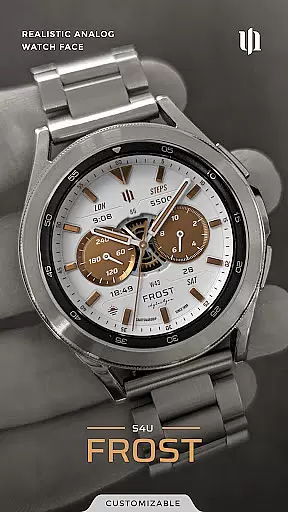
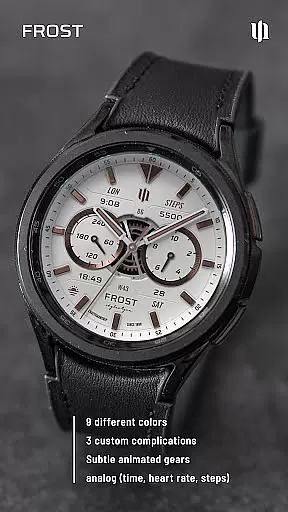
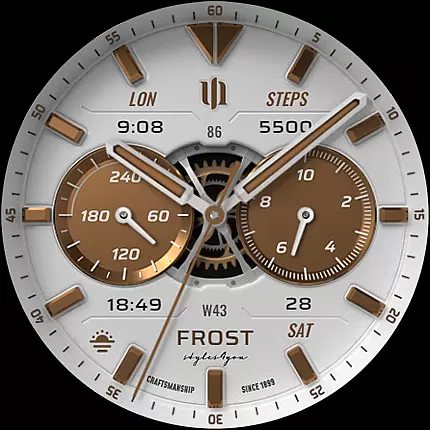
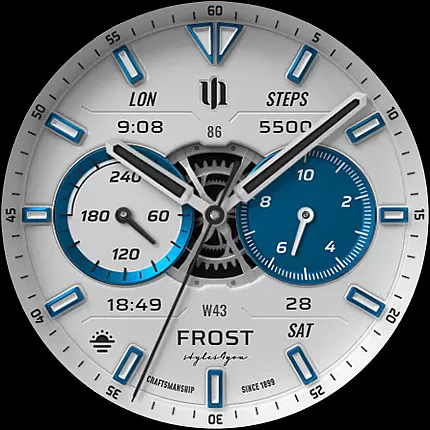
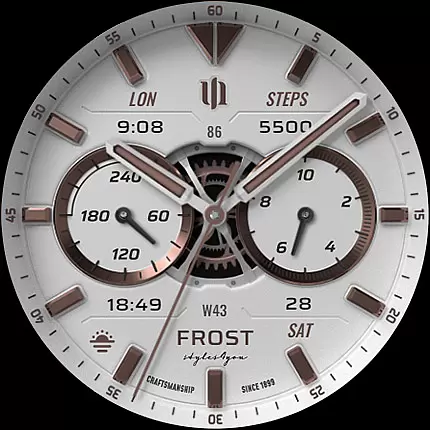
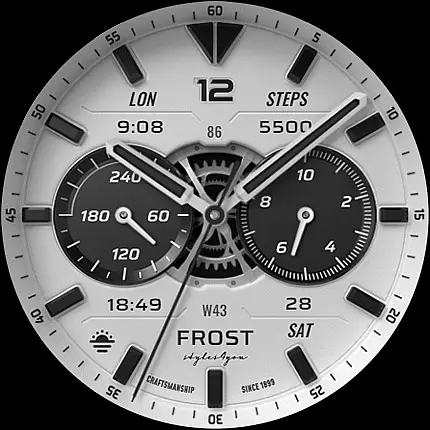
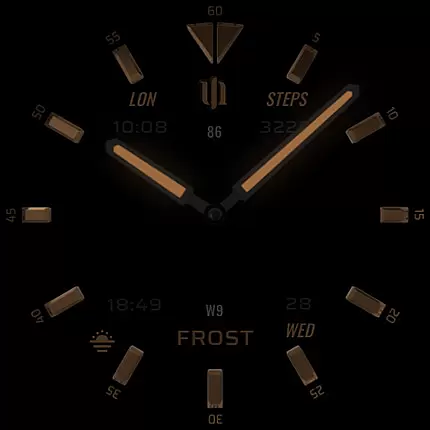
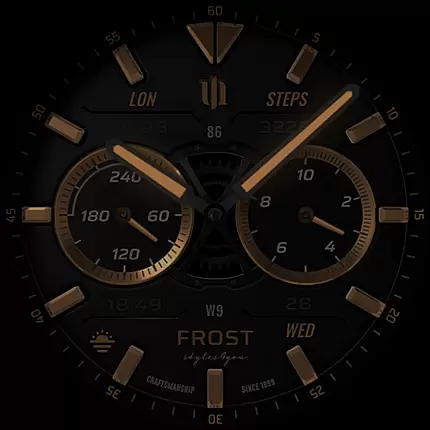
S4U Frost is a premium Wear OS watch face designed for users seeking both style and functionality. This analog watch face combines a realistic design with advanced customization options, making it suitable for various smartwatches running Wear OS 4 or higher.
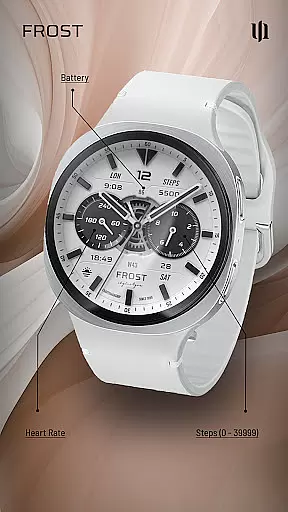
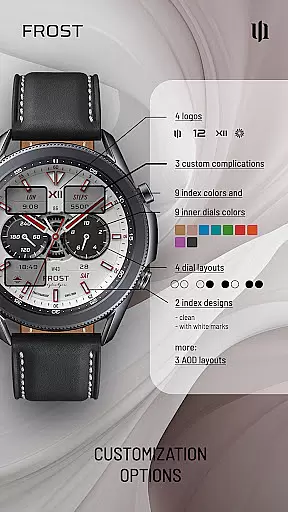
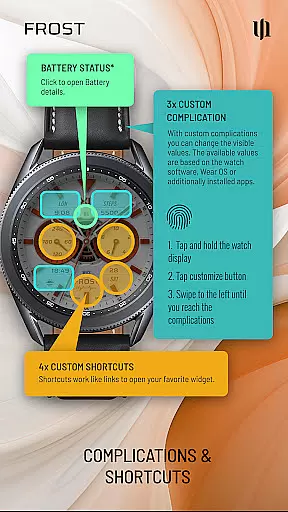
The watch face features a white classic analog dial with three customizable complications that allow users to display user-defined data. With nine color options and four custom shortcuts, users can personalize their experience while accessing essential information such as time, steps, heart rate, and battery status effortlessly.
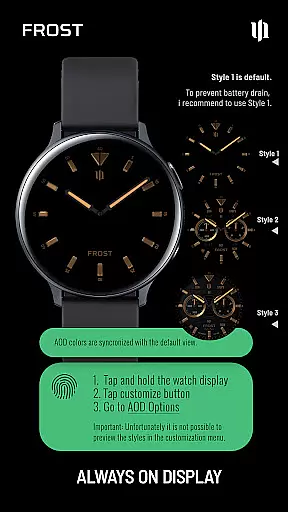
Designed for Samsung Galaxy Watches, Google Pixel Watches, and other Wear OS devices, S4U Frost enhances your smartwatch experience by offering three Always-On Display (AOD) layouts and numerous customization options including index colors, inner dial backgrounds, and more.
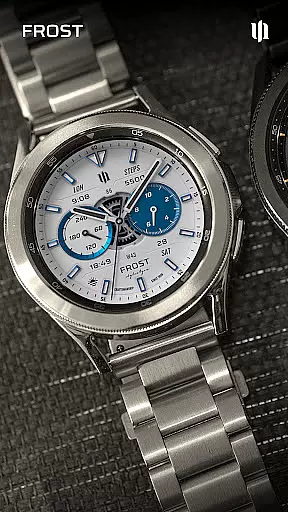
S4U Frost stands out with its extensive customization capabilities. Users can choose from ten color options for main hands and secondary complications, ten index colors, and multiple inner dial layouts. The inclusion of three AOD layouts ensures visibility even when the screen is dimmed.
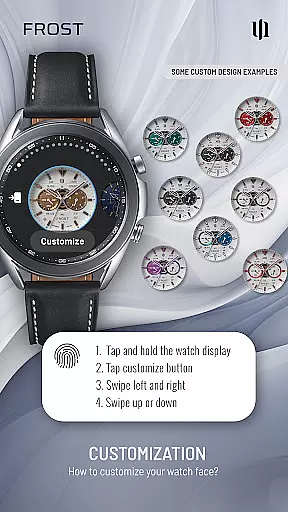
One of the key highlights is the ability to set up custom complications and shortcuts. These features allow users to display the data they need most and provide quick access to favorite widgets. By pressing and holding the watch display, users can easily adjust these settings through an intuitive interface.
In addition to aesthetic personalization, S4U Frost offers practical functionalities such as displaying analog time, steps, heart rate, battery level, day of the week, and day of the month. This makes it not just visually appealing but also highly functional for everyday use.
Companion app integration is essential for a seamless Wear OS experience. S4U Frost offers a dedicated companion app that simplifies the setup and customization process. This ensures users can easily access all features and make adjustments without hassle.
The companion app provides clear guidance for installation and troubleshooting. If users encounter any issues, they can follow simple steps within the app to resolve them. This includes checking compatibility and ensuring the latest updates are installed for optimal performance.
With this integration, users benefit from real-time synchronization between their smartwatch and mobile device. Any changes made in the companion app instantly reflect on the watch face, providing a dynamic and personalized user experience.
Ensuring broad device compatibility is crucial for reaching more users. S4U Frost supports smartwatches running Wear OS 4 or higher, including popular models like Samsung Galaxy Watch series and Google Pixel Watch. This wide compatibility enhances user accessibility and satisfaction.
The application leverages the latest Wear OS API (33+) to deliver advanced functionalities. By doing so, it guarantees high performance and stability across different devices. Users can enjoy consistent quality regardless of their specific smartwatch model.
Moreover, detailed compatibility information is provided to help users make informed decisions. If users face any challenges, comprehensive support options are available through email and online resources, ensuring a smooth user journey.
Highly customizable
Realistic analog design
Multiple AOD layouts
User-friendly interface
Wide device compatibility
Only for Wear OS 4+
May reduce battery life
No white background in AOD
Limited to listed devices
Complex for beginners

Christmas Theme Watch Face for Wear Os
 5.00
5.00
an Analog Watch Face for winter season with freeze winter background for Wear OS
4.0
Easy Voice Recorder is your everyday companion to record important moments.
4.70
Structured watch face with seven complications and modular UI elements
3.90
Nutrition, Macro tracker: Food, fitness & healthy diet tracking for weight loss
4.60
The Chevron App allows you to pay for fuel from the comfort of your car!
4.80
Daily Weather forecast with 15 weather images for Day & Night plus Big Bold time
4.10
Track your active life in one place and share the journey with friends.
4.40
Fitbit is dedicated to helping people lead healthier, more active lives.
4.10
Digital watch face. For Wear OS devices.
4.40
Reliable phone calls with spam protection, caller ID and more helpful features
4.40
Let's celebrate Thanksgiving - Wear Os watch face
4.20
Your music, your playlists, and more—offline and unlimited.
4.20
Animated Watch Face and Customizable with 24 Backgrounds. Perfect for Christmas!
3.90
Professional weather radar and more
3.90
Watch face designed for Thanksgiving Day. 7 Background Styles included.
3.20
A watch face that fuses motorsport precision with contemporary smartwatch design
4.0
Contemporary digital watch face with five complications
4.3
Stylish digital watch face for Wear OS devices with customizable features
4.1


User Reviews