
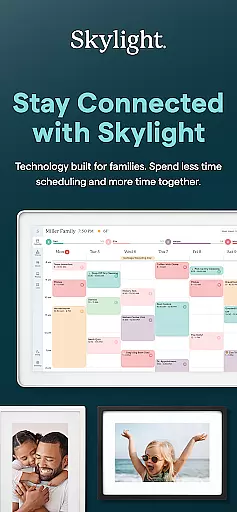
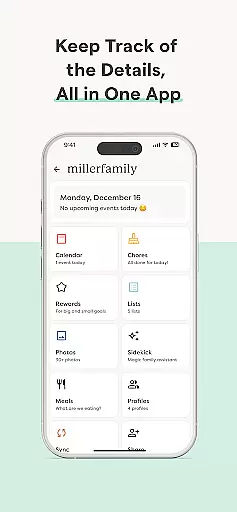
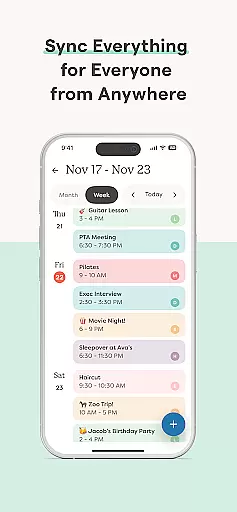
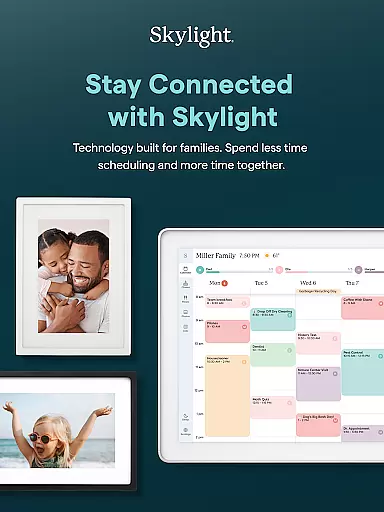

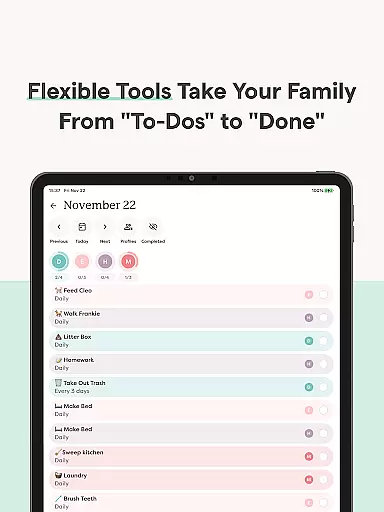
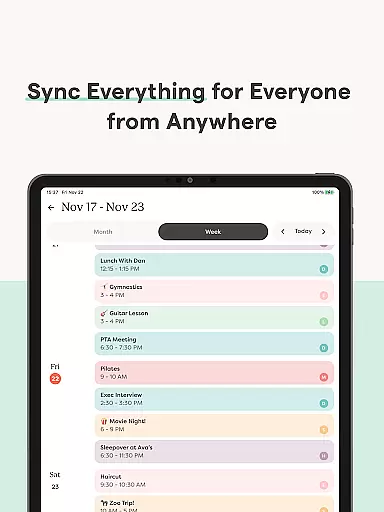
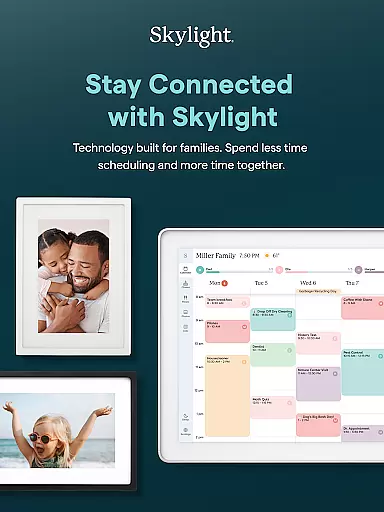

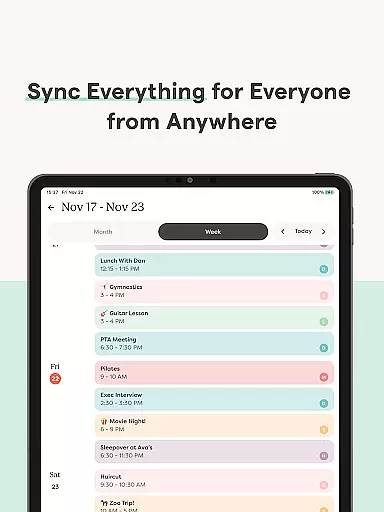
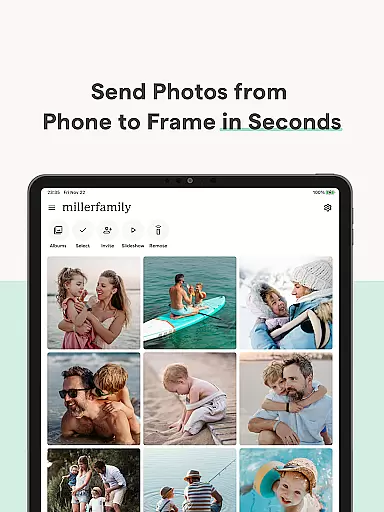
Skylight is a comprehensive family management app that consolidates calendars, lists, routines, and memories into one platform. Designed for families seeking better organization, it offers features like calendar syncing, task management, and photo sharing. The app serves as the control center for both Skylight Calendar and Skylight Frame, making it an essential tool for modern households.
With its PLUS features, Skylight enhances family life by enabling recipe book creation, task rewards, and more. Whether managing daily chores or preserving cherished memories, Skylight provides a centralized solution to keep everyone connected and aligned.
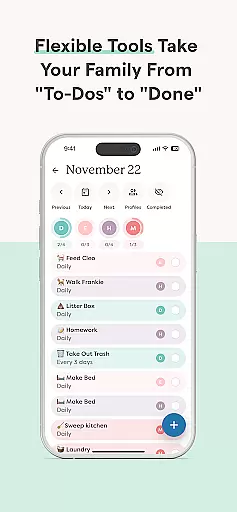
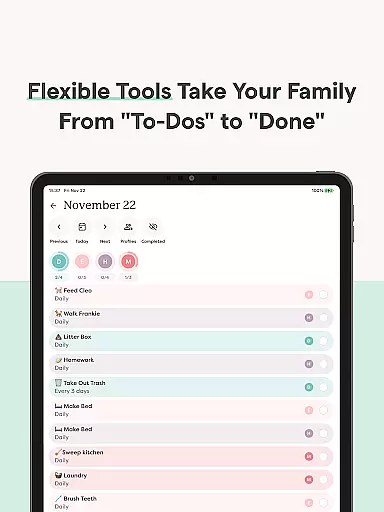
Skylight stands out with its dual functionality for both Calendar and Frame management. For Skylight Calendar, users can sync unlimited calendars, set recurring tasks, and share grocery lists. The PLUS tier adds advanced features such as earning rewards for completed tasks and building family recipe books. These tools help streamline household management while fostering family collaboration.
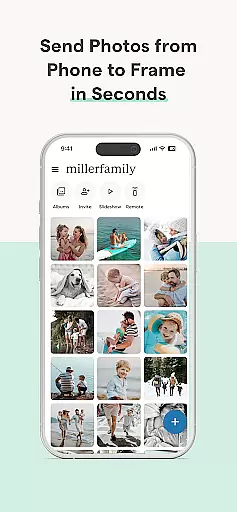
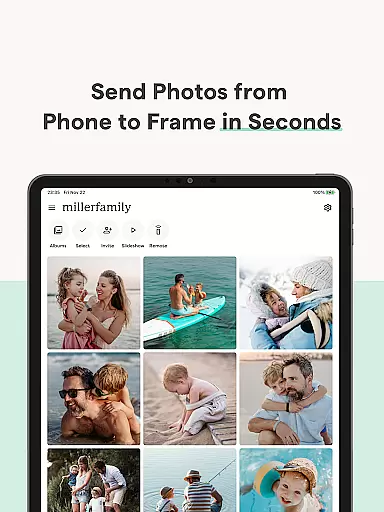
For Skylight Frame, the app allows easy setup and customization of digital frames. Users can upload photos, videos, and captions anytime, anywhere. With unlimited albums and customizable displays, Skylight Frame becomes a dynamic way to showcase family memories. This combination of practicality and personalization makes Skylight a versatile app for family-oriented users.
Real-time capture and preview functionality is essential for ensuring that every photo or video taken meets the user's expectations without delay. Skylight provides a seamless experience by allowing users to add photos and videos anytime, anywhere, directly through the app. This ensures that moments are captured instantly and can be previewed in real time, providing immediate feedback on the quality and composition.
The app further enhances this feature by enabling users to create unlimited albums with captions, thus organizing their captured memories efficiently. The ability to upload videos and customize displays adds another layer of personalization and control, making sure that users can adjust settings to fit their preferences before finalizing their content.
For families looking to keep their cherished memories organized and accessible, Skylight's real-time capture and preview capabilities ensure that no moment is missed. By syncing these memories across devices, every family member can stay connected to their shared experiences, regardless of location.
AI beauty and enhancement features have become a staple in modern photography apps, offering users the ability to refine and enhance their images naturally. Skylight incorporates such features subtly, focusing on maintaining the authenticity of captured moments while still providing options for beautification. This approach ensures that family photos and videos remain genuine, preserving the true essence of each memory.
With its PLUS features, including building family recipe books and meal plans, the app extends beyond just photo enhancements. It creates a holistic environment where families can manage various aspects of their lives, from grocery lists to routines, all while ensuring their photos and videos reflect their natural beauty.
By integrating AI-powered enhancements that focus on natural results, Skylight ensures that users can effortlessly improve their media without compromising on authenticity. This balance between enhancement and realism makes the app an ideal choice for families who value both functionality and genuineness in their digital interactions.
User-friendly interface
Comprehensive family tools
Customizable features
Seamless device integration
Engaging reward system
Limited free features
Premium subscription required
Dependent on WiFi connectivity
Occasional syncing delays
PLUS tier can be costly

Effortlessly organize, view and share your photos & videos with Gallery app!
 4.40
4.40
All-in-One Editor & AI Photo Enhancer, Collage, Cartoonify, Funny Stickers & BGS
4.10
Virtual makeup, hair filters & body tuner—edit from face to full body!
4.20
Create Business Headshots, Polaroid Filter, Retake Photos,Profile Pics,AI Photos
4.50
USB Storage Access for Photos, Videos, Music and Documents
3.80
AI Photo Editor with 100+ Filters, Effects! Remove BG, Retouch & Photo Enhancer.
4.80
Turn photos into cartoons & avatars! - Photo Editor, Cartoon Face!
3.90
Enhance, upscale, and transform your images — on your device, without limits
4.70
Try an anime version, cartoon yourself, and generate AI hug or aging videos!
3.70
Your personal guide to the sun and moon. Plan ahead, visualize and predict!
4.70
Take videos and pictures with the popular TikTok TIME WARP SCAN filter.
4.60
AI photo editor with hair editor, retouch tools, hair color changer & filters!
4.50
Transform photos into videos! Create realistic or anime-style images easily!
4.50
Photo editor & gallery. Crop pictures & edit photos offline, no wifi!
4.50
Use AI Video Generator to turn your words to ai generated videos.
4.50
Edit like a pro with Hypic. Apply filters, AI effects, & magic touch.
4.40
Create amazing frames with up to five photos. Rounded corners, effects and more!
3.60
GCamera allows all GCam features on all phone models! Better photos with GCamera
3.30
Remote control the phone camera shutter from your smartwatch and take a picture
1.60


User Reviews