
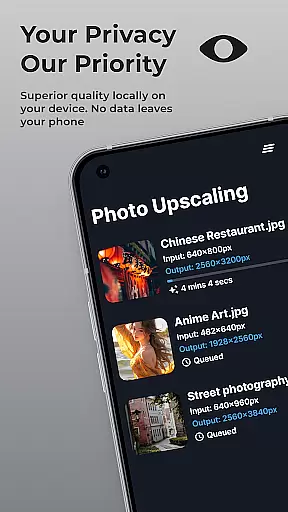
SuperImage Pro is an advanced AI-powered photo editing application designed for photography enthusiasts and professionals alike. This all-in-one photo toolbox offers exceptional features that run directly on your device, ensuring complete privacy and fast processing. The app's core functionality revolves around image enhancement, background removal, portrait refinement, and resolution upscaling.
What sets SuperImage Pro apart is its commitment to user privacy through on-device AI processing. Users can transform their images without worrying about data security or internet connectivity. Whether you're looking to create professional-grade transparent cutouts or enhance the details of low-resolution portraits, this application delivers impressive results while maintaining complete control over your image data.
SuperImage Pro stands out with its comprehensive suite of AI-powered tools that cater to various photo editing needs. The application runs entirely on-device using optimized AI models, making it one of the most secure photo editing solutions available. Its key feature set includes unlimited image enhancements without subscription limitations.
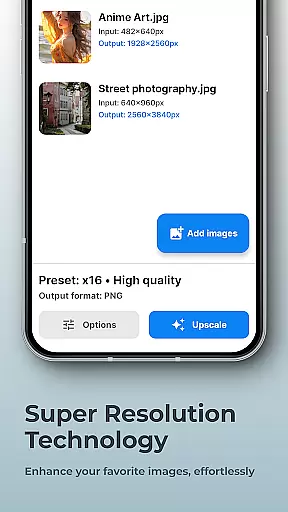
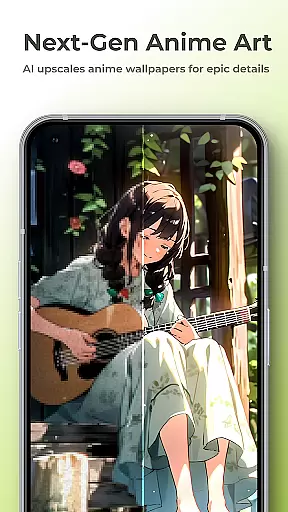
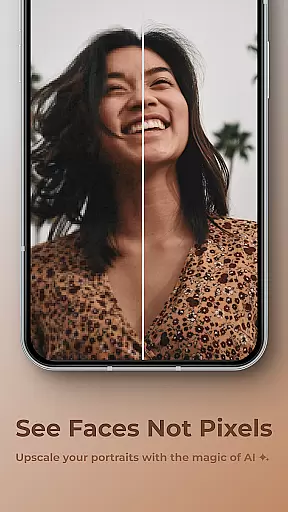
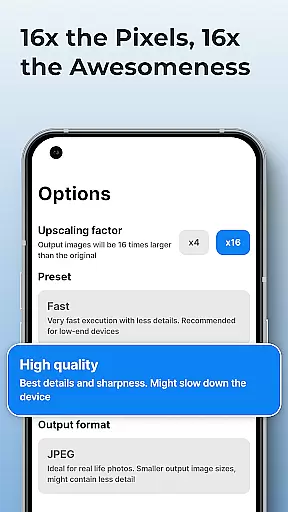
The app excels in multiple areas of image transformation - from background removal and subject isolation to advanced portrait enhancement capabilities. Users can upscale images up to 16x their original resolution while maintaining exceptional clarity. Additionally, the app supports custom model loading in various formats including PyTorch, ONNX, and MNN, giving advanced users unparalleled flexibility in their editing workflow.
Real-time capture and preview functionality is essential for photography applications as it allows users to see exactly what the camera is capturing before taking a shot. This ensures that users can make necessary adjustments to achieve the desired outcome.
SuperImage Pro excels in this area by utilizing advanced AI models optimized for modern hardware, which enables on-device processing without requiring an internet connection. The app provides instant feedback on images, allowing users to enhance, upscale, and transform their photos with confidence.
Users benefit from the ability to visualize changes immediately, ensuring that every photo meets their expectations. With real-time previews of enhancements such as background removal or portrait refinement, photographers can focus on creativity while maintaining privacy and control over their work.
The naturalness of AI beauty and enhancement features is crucial for delivering realistic and appealing results. Users expect these tools to improve their images without making them look artificial or overly processed.
SuperImage Pro addresses this need by offering sophisticated AI-driven enhancements that preserve authenticity. Whether sharpening details, refining facial features, or enhancing background clarity, the app ensures that edits are subtle yet effective.
By prioritizing user privacy and providing powerful editing capabilities entirely on-device, SuperImage Pro delivers professional-quality enhancements while keeping personal data secure. Photographers can trust that their portraits will have enhanced appeal without compromising natural aesthetics.
Fast on-device processing
Advanced AI models
Unlimited free usage
Excellent privacy protection
Comprehensive feature set
Steep learning curve
High device requirements
Limited customer support
No cloud backup option
Complex interface design

Gallery show photo, video, slideshow, is perfect 3D effect private photo albums.
 4.80
4.80
Photobooth mini FULL app will allow you to add more fun to your parties
4.00
What celebrity do you look like? Celebs will find your celebrity match!
4.10
All-in-One Editor & AI Photo Enhancer, Collage, Cartoonify, Funny Stickers & BGS
4.10
Automatically backup your photos and videos to computer, NAS and Cloud services
4.60
GCamera allows all GCam features on all phone models! Better photos with GCamera
3.30
Your personal guide to the sun and moon. Plan ahead, visualize and predict!
4.70
The original Rarevision VHS look seen everywhere!
4.70
Remote control the phone camera shutter from your smartwatch and take a picture
1.60
Create funny photos and videos with the popular Time Warp Scan filter.
4.90
Perfect body tune & face app - photo retouch, makeup, slim body & beautify face.
4.80
A must-have app for landscape photographers
4.60
Add Watermark - Sign your pictures with a text or logo. Effective, quick, easy!
4.50
Cut and paste photo editor & eraser to customize photos easy and swap faces fun
4.50
Movie camera, supports pro recording settings for filming. Try it and be amazed!
4.50
AI photo enhancer with Sora 2! Enhance, descratch, and colorize your old photos.
4.50
Future baby face generator: AI kids generator, kid face! What my baby look like?
4.40
How old age camera Gender Swap App Face Shape Hairstyle App Hair Styler App fun!
4.00
An interval timer to automate photo taking process for timelapse
2.90


User Reviews