
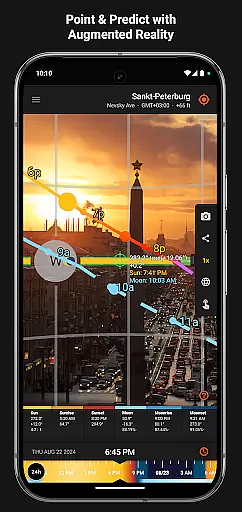
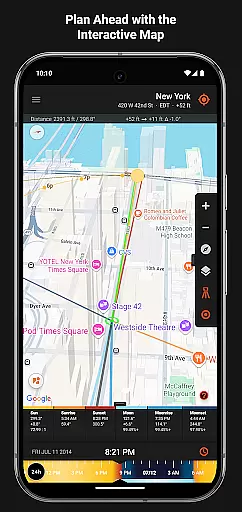
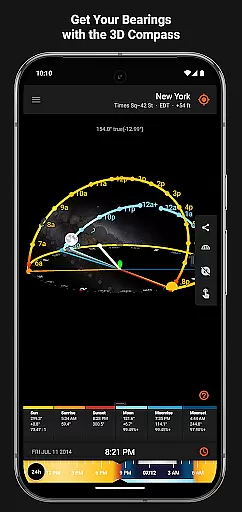
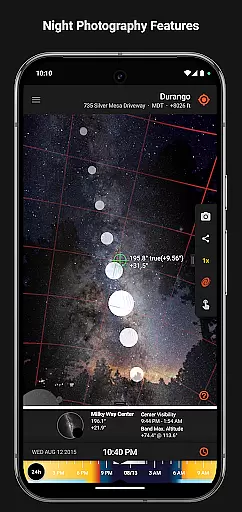
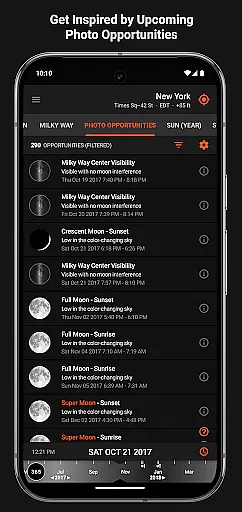
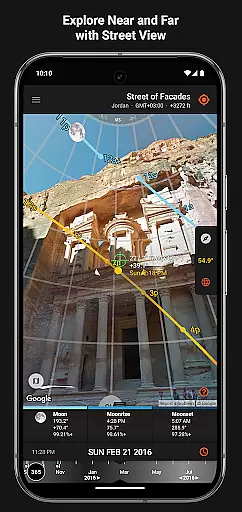

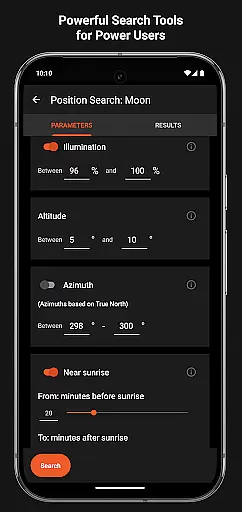
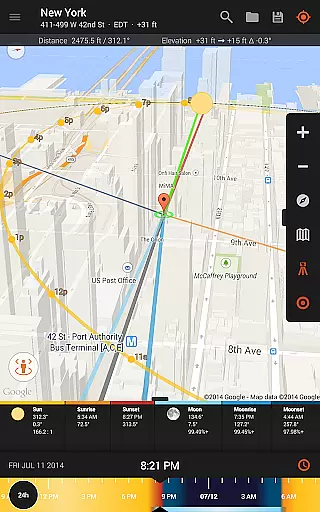
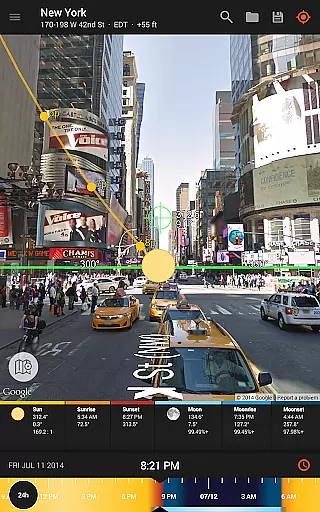
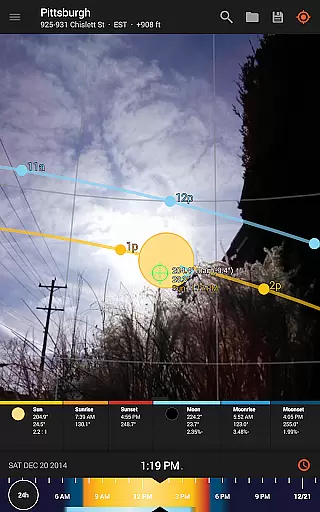
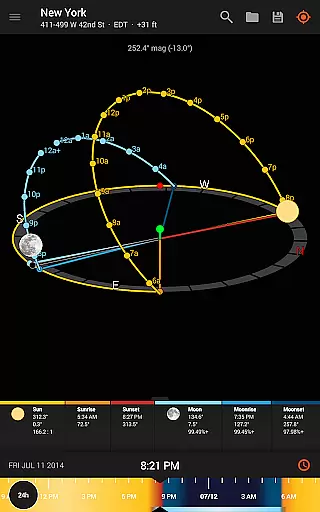
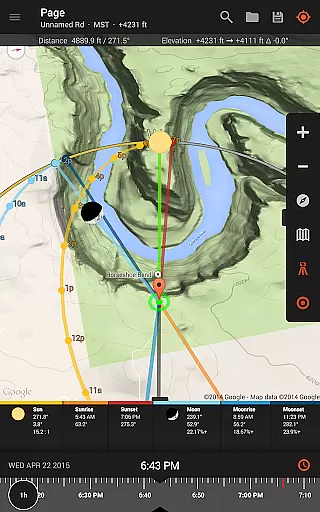
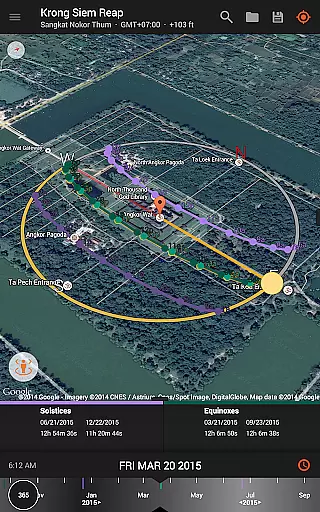
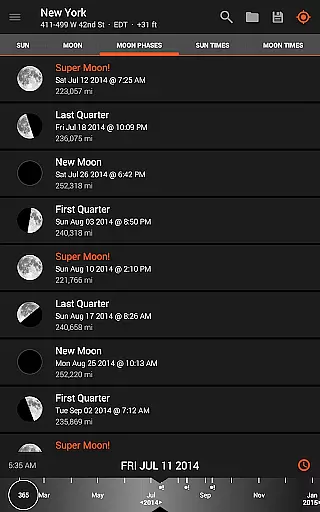
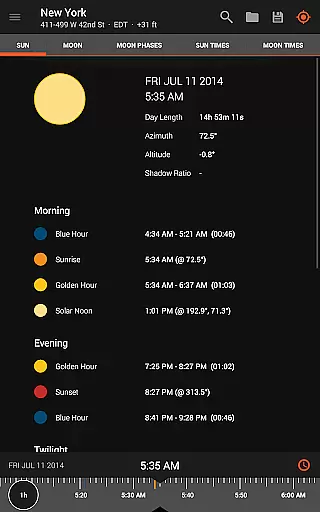
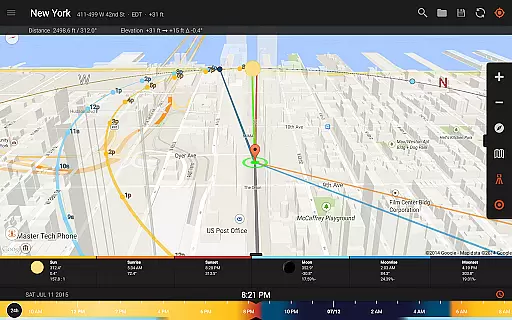
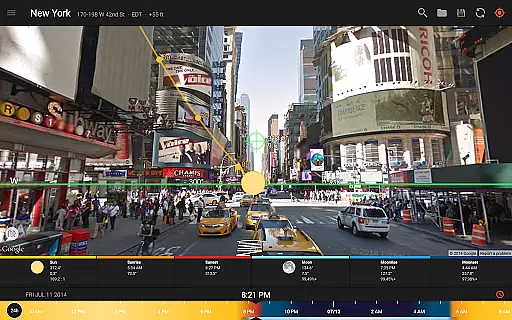
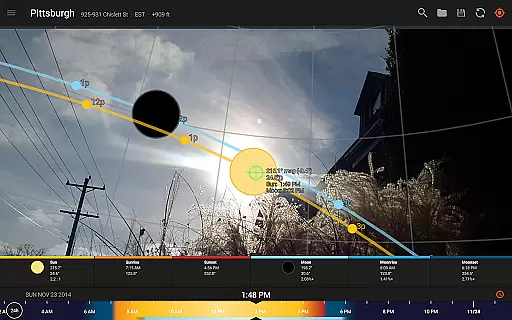
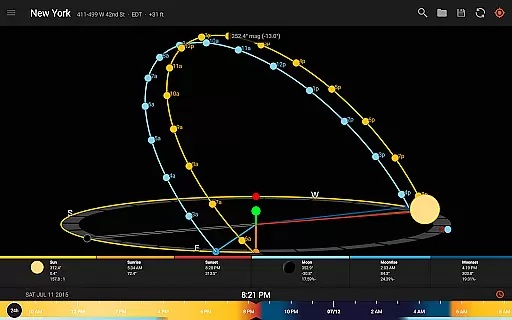
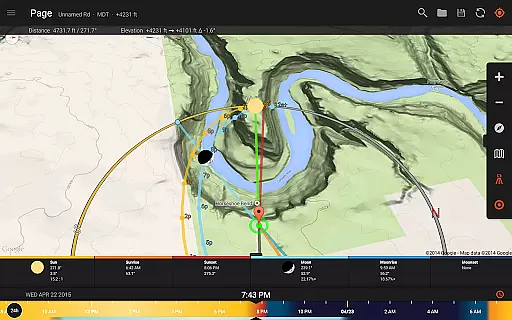
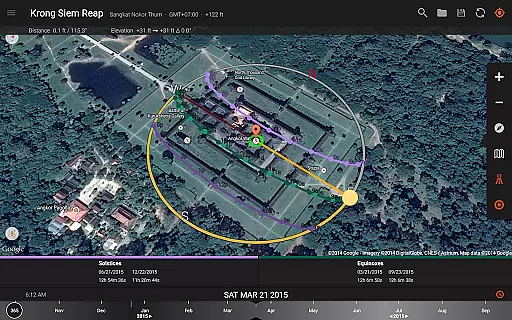
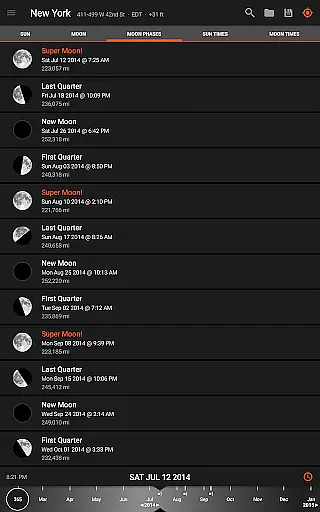
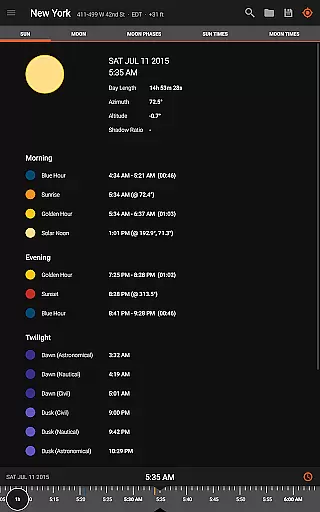
Sun Surveyor is an advanced photography planning tool that empowers users to predict and visualize the positions of the sun, moon, and Milky Way. Designed for photographers, filmmakers, and solar industry professionals, it provides precise data on sunrise, sunset, moon phases, golden hour, and more. The app's augmented reality Live Camera View and 3D Compass allow users to scout locations with confidence, ensuring they capture the perfect shot or assess sunlight conditions at any site.
With features like Photo Opportunities, Position Search, and detailed Ephemeris, Sun Surveyor caters to both creative and technical needs. Whether you're planning a photoshoot, designing solar installations, or exploring star trails, this app delivers accurate celestial insights. Its offline functionality ensures usability even in remote areas, making it an indispensable tool for outdoor projects.
Sun Surveyor offers a comprehensive suite of tools tailored for precision and creativity. The Interactive Map with Street View integration allows users to explore potential shoot locations virtually, while the Visual Time Machine feature lets them preview lighting conditions across different times of day. Advanced calculations such as moon distance, apogee, perigee, and magnetic declination compensation provide unparalleled accuracy for professional-grade work.
The app also includes practical utilities like shadow length calculation, elevation measurement, and Google Earth .kmz/.kml file support. Users can share detailed reports with clients or colleagues directly from the app. Additionally, customizable widgets offer quick access to essential sun and moon information right from the home screen. These robust features make Sun Surveyor a versatile companion for anyone working with natural light or celestial phenomena.
Real-time capture and preview functionality is essential for photographers and filmmakers who need to plan their shots with precision. Sun Surveyor excels in this area by offering augmented reality projections of the sun and moon paths directly within its Live Camera View.
This feature allows users to pinpoint the exact time the sun or moon will be at a specific location in the sky, ensuring they never miss the perfect shot. The app's ability to predict golden hour, blue hour, and other critical lighting periods provides invaluable planning tools.
For professionals in the solar industry, real estate, and other fields, this functionality empowers them to demonstrate sunlight patterns and potential shading issues to clients effectively. The visual time machine feature further enhances planning capabilities by enabling quick assessments of lighting conditions throughout the day.
While primarily focused on celestial tracking, Sun Surveyor incorporates advanced features that enhance the natural beauty of captured scenes without relying on traditional AI beauty enhancements. The app's detailed Ephemeris and 3D Compass provide comprehensive information about natural light sources, crucial for achieving authentic and stunning photographs.
The app's Milky Way and star trail features enable night photographers to prepare their shots meticulously, capturing the natural splendor of the night sky without artificial enhancement. This approach maintains the integrity and authenticity of the captured images while still delivering visually striking results.
Additional tools like sun shadow calculations and magnetic declination compensation ensure that all captured images reflect true natural conditions. These features collectively contribute to producing photographs that are both technically accurate and naturally beautiful, making Sun Surveyor an indispensable tool for professionals seeking genuine imagery.
Accurate celestial predictions
User-friendly interface
Augmented reality views
Offline functionality
Comprehensive feature set
Requires compass hardware
Premium price point
Steep learning curve
Limited free version
Device compatibility issues

Gallery show photo, video, slideshow, is perfect 3D effect private photo albums.
 4.80
4.80
Safe & smart flight with Go Fly drone controller for 40+ drone camera, zone map
4.50
Take videos and pictures with the popular TikTok TIME WARP SCAN filter.
4.60
Turn your phone into a professional camera - full DSLR manual photography
4.30
HD Camera Pro with HD Video shooting, Panorama, Photo editor , Beauty Camera.
4.50
Amazing Photo Effects - The most fun you can have with your photos!
4.70
Create amazing frames with up to five photos. Rounded corners, effects and more!
3.60
Create AI photos & videos with Enhancer; restore, fix, beautify, enhance photos
4.50
Edit photos with the picture generator: PS2 & AI Clay filters, cartoon effects.
4.50
Collage your moments in one tap: 1000+ layouts, filters, stickers, and texts.
4.90
The original Rarevision VHS look seen everywhere!
4.70
Automatically backup your photos and videos to computer, NAS and Cloud services
4.60
Discover & download millions of art for The Frame TV or Hisense CanvasTV
4.60
Photo Exif Editor allows to view, add and modify EXIF data of multiple photos
4.50
Fit multiple photos on one post. Create carousels & scroll layouts for Instagram
4.50
Trendy TikTok time warp scan funny filter app brings you unique photos & videos.
4.40
Future baby face generator: AI kids generator, kid face! What my baby look like?
4.40
Natural Beauty, Selfie Retouch
4.30
The #1 app for B&W film developing featuring an advanced darkroom timer.
4.10


User Reviews