
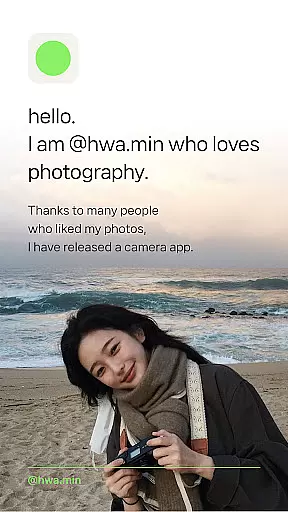
Filmhwa is a photography app designed for capturing and editing photos with unique film-like filters. Developed by @hwa.min, an influencer with 1 million Instagram followers, the app offers users a chance to experience analog-style photography on their mobile devices.
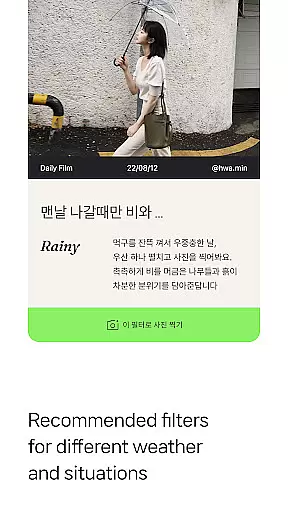
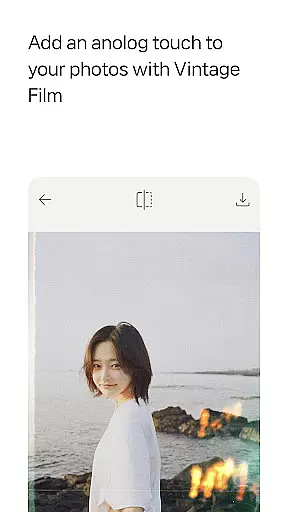
The app features exclusive filters crafted by @hwa.min, replicating the emotional colors and atmospheres found in his photography. These filters are tailored to different weather conditions and situations, such as holidays or lazy mornings. Additionally, Filmhwa provides essential photo editing tools like brightness, exposure, and contrast adjustments, along with effects like grain and light leaks.
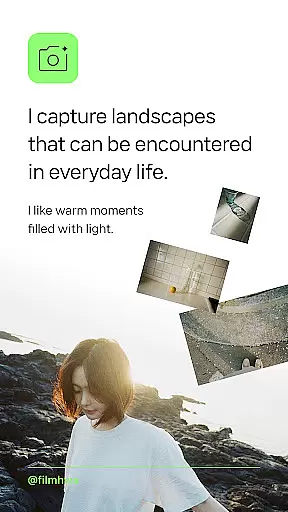
Perfect for those who appreciate vintage aesthetics, Filmhwa allows users to shoot, edit, and share both photos and videos while maintaining the charm of analog cameras. Whether you're capturing landscapes or warm moments filled with light, this app ensures your images reflect a timeless sensibility.
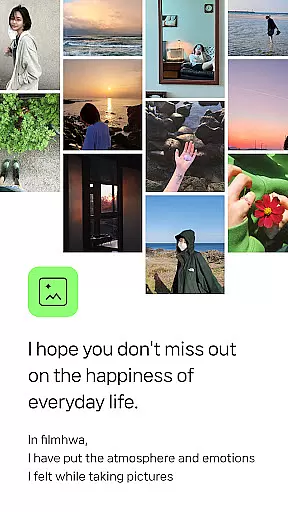
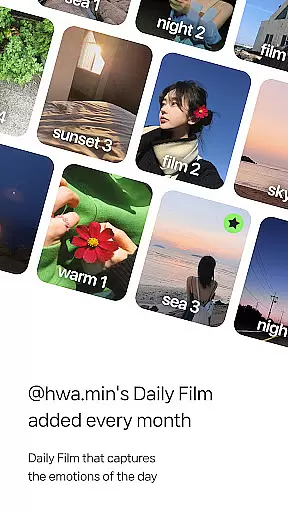
Filmhwa stands out with its specialized photo filters created by @hwa.min, which have been fine-tuned over years of Instagram photography. Each filter captures specific moods and atmospheres, making it easy for users to enhance their photos with professional-grade edits.
Beyond filters, the app includes robust photo editing tools such as brightness, exposure, contrast, and grain adjustments. It also supports video shooting and editing, allowing users to apply the same artistic touch to moving images. The app's intuitive design caters to both casual photographers and enthusiasts looking for precise control over their edits.
Additional features include wide-angle shooting, silent mode, and skin texture correction, ensuring versatility across various photography scenarios. With monthly updates introducing new filters and tools, Filmhwa continues to evolve, offering fresh creative possibilities for its users.
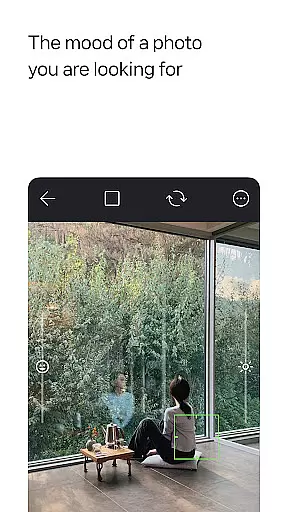
Real-time capture and preview functionality is essential for photography apps as it allows users to see exactly what the camera sees before taking a shot. The filmhwa app excels in this area by providing an intuitive interface that mimics the analog sensibility of a traditional film camera.
This application offers users the ability to shoot photos and videos with filters that are instantly applied, giving an accurate representation of the final output. This feature ensures that photographers can make real-time adjustments to their settings, such as brightness, exposure, and contrast, to achieve the desired effect.
Moreover, the app includes various effects like grain, light leaks, and dust, which add to the vintage film aesthetic. Users can also edit proportions suitable for Instagram posts and stories, ensuring their content looks perfect on social media platforms.
The instant feedback provided by the real-time capture and preview feature empowers users to take better photos without guesswork, enhancing their overall photography experience while maintaining the unique color and emotional atmosphere that @hwa.min's work is known for.
AI beauty and enhancement features have become increasingly popular in photography applications, offering tools that improve image quality while maintaining a natural look. The filmhwa app stands out by focusing on reproducing emotional colors with filters crafted by @hwa.min, rather than simply beautifying images.
Instead of using generic AI enhancements, this app provides specialized filters that suit different weather conditions and situations, such as holidays or lazy mornings. These filters not only enhance the photo but also preserve the original atmosphere and emotions captured at the moment.
In addition to static images, filmhwa supports video shooting and editing with moving filters that capture the mood of the day. This allows users to create reels that are both visually appealing and emotionally resonant, making it easy to share high-quality content on social media.
By prioritizing naturalness in AI-powered enhancements, filmhwa ensures that every picture or video taken reflects the true essence of the scene, allowing users to express their creativity authentically through digital storytelling.
User-friendly interface
Unique, high-quality filters
Versatile photo editing tools
Regular updates with new content
Wide compatibility with social media platforms
Limited advanced editing options
Some features may require additional purchases
Filters can be repetitive for frequent users
Occasional performance issues on older devices
Learning curve for beginners

Create collages easily! Nice pic collage maker & background eraser for Instagram
 4.50
4.50
Photo editor: AI filters, photo enhancer, pic collage maker, AI art generator.
4.80
Transform photos into videos! Create realistic or anime-style images easily!
4.50
Gallery Slideshow is slideshow maker app for slideshow from your gallery photos.
3.90
Easily create custom gifts, cards, photo books & more on the Shutterfly app!
4.60
RAW video capture with advanced controls
4.40
Professional camera app that brings DSLR manual photography controls to Android.
4.20
Effortlessly make high-quality GIFs from images & videos without any watermarks.
4.70
Try an anime version, cartoon yourself, and generate AI hug or aging videos!
3.70
Fit multiple photos on one post. Create carousels & scroll layouts for Instagram
4.50
A reflected light meter with spot metering and incident light metering.
4.40
[3DSteroid Pro] is a stereoscopic application for Android.
4.30
Professional photography on your mobile phone
4.20
A light meter for true photographers.
4.20
What celebrity do you look like? Celebs will find your celebrity match!
4.10
Catch sunlight, sunrise sunset times and sun phases with the AR sun tracker.
4.10
live datamoshing
4.00
Turn photos into cartoons & avatars! - Photo Editor, Cartoon Face!
3.90
Snap photos remotely using your Garmin watch as the camera trigger
4.5


User Reviews