
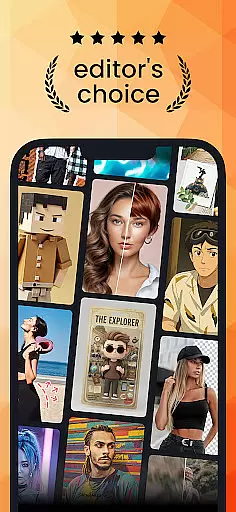
PhotoDirector is a powerful AI-driven photo editing application designed to help users create and enhance stunning images effortlessly. With an extensive collection of styles, effects, templates, and tools, the app caters to both amateur photographers and professionals seeking to elevate their photo editing game. The app's standout features include AI Art, Image to Video conversion, and advanced editing tools like AI Removal and AI Expand.
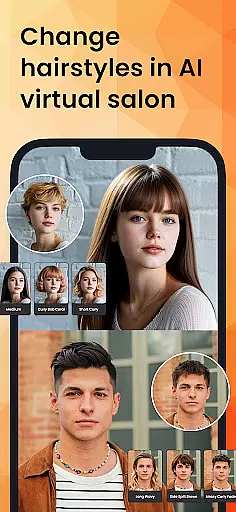
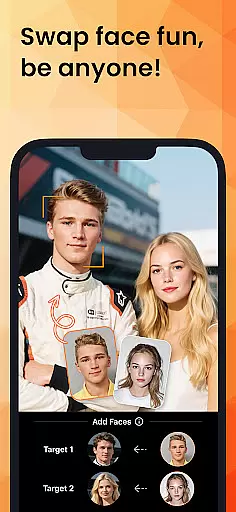
One of PhotoDirector's key strengths lies in its ability to transform ordinary photos into extraordinary artworks. Users can cartoonize their images, apply aesthetic styles, or even convert them into video formats with dynamic animations. Additionally, the app offers practical tools such as AI Hairstyle and AI Outfit, allowing users to experiment with virtual makeovers and fashion styles. Whether you're looking to edit product photos or craft creative social media content, PhotoDirector provides all the necessary tools in one intuitive package.
The app is particularly useful for content creators, marketers, and photography enthusiasts who need professional-grade editing capabilities on the go. By leveraging AI technology, PhotoDirector simplifies complex editing tasks, enabling users to achieve high-quality results within minutes. Its premium subscription unlocks unlimited access to additional features, making it a valuable tool for anyone serious about photo editing.
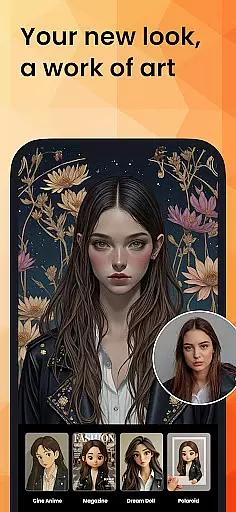
PhotoDirector stands out with its comprehensive suite of AI-powered features that cater to various photo editing needs. One of its most innovative tools is AI Art, which allows users to transform their photos into artistic masterpieces by applying famous painting styles, sketches, or cartoon effects. This feature is perfect for creating unique visuals that stand out on social media platforms.
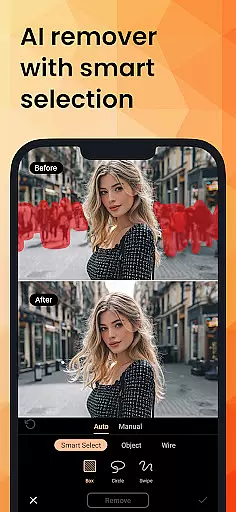
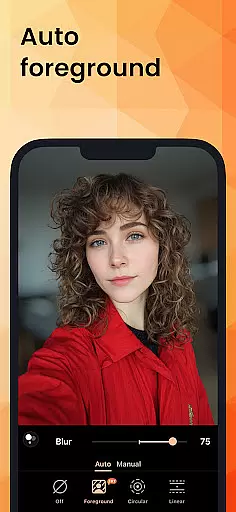
In addition to artistic transformations, PhotoDirector offers practical editing tools such as AI Removal and AI Replace. These features enable users to erase unwanted objects or wires from photos automatically, while also allowing them to replace elements seamlessly. The AI Expand tool is another highlight, letting users change aspect ratios or turn close-up shots into wide-angle views with just one click. For portrait photography, the AI Background feature helps replace plain backgrounds with visually appealing alternatives like blue skies or textured fabrics.
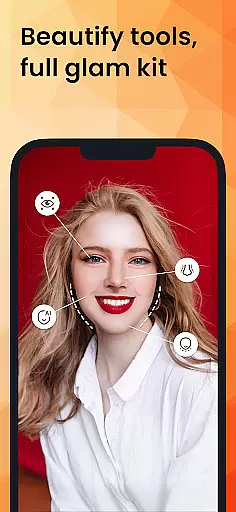
For those seeking efficiency, PhotoDirector includes Quick Action modes that streamline routine editing tasks. Users can instantly enhance entire batches of images with a single tap, saving significant time during post-processing. The app also provides creative options like body reshaping, makeup adjustments, and AR camera effects, ensuring that selfies look picture-perfect every time. With thousands of stickers, text styles, frames, and effects available, the possibilities for customization are virtually endless.
Real-time capture and preview functionality is essential for ensuring that every photo taken meets the user's expectations without delay. PhotoDirector offers an intuitive interface where users can see adjustments and enhancements in real time, allowing them to make precise edits before capturing the final image.
This application leverages advanced AI technology to provide live previews of various effects and styles applied to photos. Users can experiment with different artistic filters, such as turning their images into cartoonized artwork or aesthetic styles, and witness the transformation instantly on their screen.
The value of real-time capture and preview extends beyond mere convenience; it empowers photographers to fine-tune every aspect of their shot, from lighting to composition, ensuring that the final output aligns perfectly with their creative vision. This feature significantly enhances the overall photography experience by reducing guesswork and post-processing time.
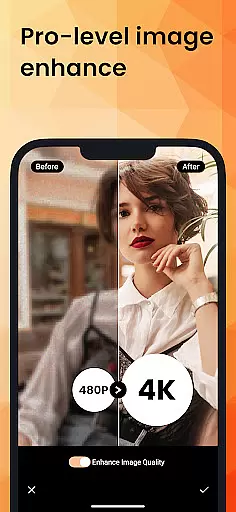
AI beauty and enhancement features are designed to elevate the quality of photos while maintaining a natural look. PhotoDirector employs sophisticated algorithms that intelligently enhance facial features, skin tones, and other elements without making the image appear overly processed or artificial.
With tools like AI Hairstyle and AI Outfit, users can explore countless customization options tailored to individual preferences. These features allow for virtual experimentation with hairstyles and outfits, providing inspiration and confidence when planning actual changes or simply enhancing digital avatars.
By focusing on natural enhancement, PhotoDirector ensures that edited images retain authenticity and charm. Whether refining portraits or adjusting landscapes, this app delivers professional-grade results that respect the original essence of each photograph, thus appealing to both amateur enthusiasts and seasoned professionals alike.
User-friendly interface
Advanced AI tools
Versatile editing options
Premium HD resolution
Regular updates
Premium features locked
High system requirements
Occasional bugs
Limited free content
Subscription cost

Pet Camera
 3.70
3.70
AI Photo Editor with 100+ Filters, Effects! Remove BG, Retouch & Photo Enhancer.
4.80
Turn photos into cartoons & avatars! - Photo Editor, Cartoon Face!
3.90
Professional camera app that brings DSLR manual photography controls to Android.
4.20
Remote control the phone camera shutter from your smartwatch and take a picture
1.60
Unlock the full potential of your DJI drone with Litchi
4.50
Welcome to ProShot, the most powerful camera app on Android.
4.20
Solocator stamps photos you take with GPS location, Compass Direction, Date/Time
3.80
Discover How to Plan any Sun, Moon and Milky Way Photo You Imagine in Seconds
4.70
Pro version: AR sun/moon tracker for any date. Tool for photographers & planners
4.90
Easily view, share, delete photos with Gallery.
4.70
Enhance, retouch & create your story - Share the moment with Photoshop Express.
4.60
Take videos and pictures with the popular TikTok TIME WARP SCAN filter.
4.60
Effortlessly organize, view and share your photos & videos with Gallery app!
4.40
RAW video capture with advanced controls
4.40
AI portrait generator and polaroid AI selfie, fun AI generated AI photo creator!
4.30
USB Storage Access for Photos, Videos, Music and Documents
3.80
Create amazing frames with up to five photos. Rounded corners, effects and more!
3.60
Application for remote controlling DSLR
3.00


User Reviews