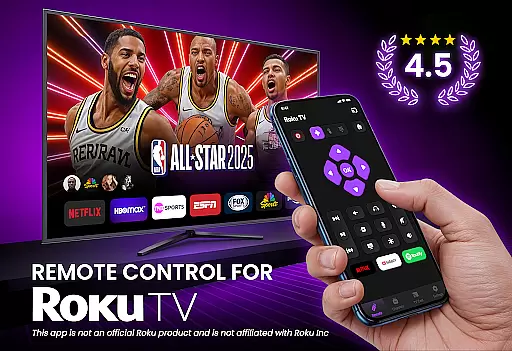
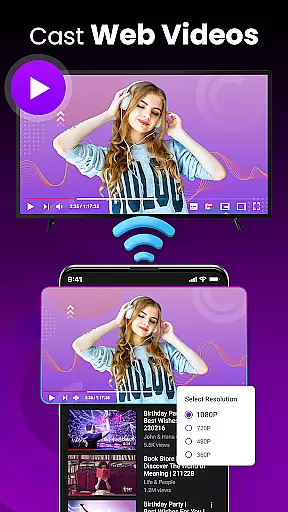
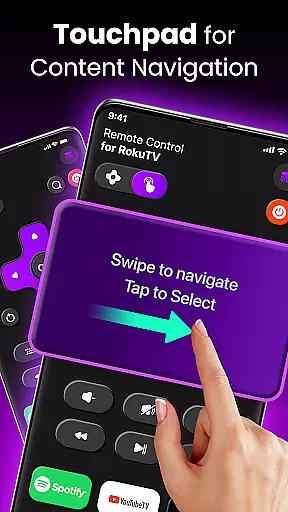
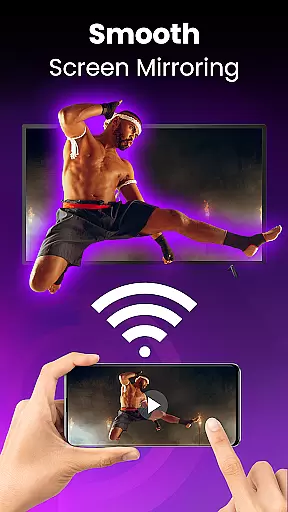
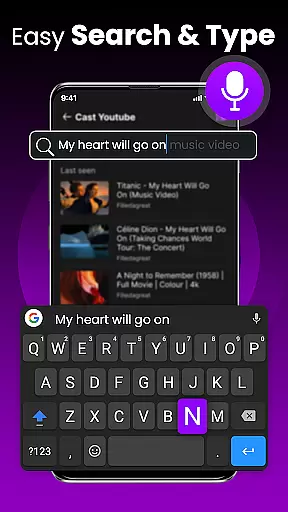
TV Remote Control for RokuTV transforms your smartphone into a powerful universal remote, offering complete control over your Roku TV. The app provides all essential remote functions including navigation, media playback controls, volume adjustment, and channel switching.
With advanced features like screen mirroring, quick-launch shortcuts for popular streaming services, and an integrated smart keyboard for fast typing, this application delivers a seamless entertainment experience. Its intuitive swipe-based touchpad interface makes menu navigation effortless, while automatic Wi-Fi detection ensures quick setup and reliable connectivity.
Ideal for those who frequently misplace their physical remotes or desire more functionality, this app is compatible with all Roku TV models from major brands like TCL and Hisense. Whether you want to cast personal media to your TV or simplify your streaming experience, TV Remote Control for RokuTV puts powerful control right in your pocket.
This innovative remote control app stands out with its comprehensive feature set designed for maximum convenience. The automatic device detection system connects your phone to your Roku TV within seconds when both are on the same Wi-Fi network, eliminating complex pairing processes.
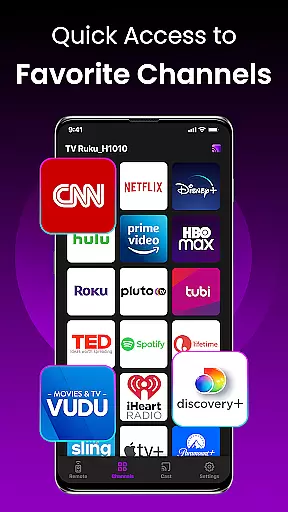
Users benefit from advanced functionalities including a responsive swipe pad for smooth navigation, a full-featured smart keyboard for efficient text input, and one-tap shortcuts to favorite channels like Netflix and YouTube. The screen mirroring capability allows direct casting of photos, videos, and music from your phone to your television.
The app's user-friendly interface combines all essential controls in one place, making it easier than ever to manage your entertainment experience. From basic remote functions to sophisticated media management, TV Remote Control for RokuTV offers a complete solution that enhances how you interact with your smart TV.
In the realm of remote control applications, ensuring core function accuracy and effectiveness is paramount for a seamless user experience. TV Remote Control for RokuTV excels in this area by offering precise and responsive controls that mirror the functionality of a physical remote without any lag or miscommunication.
The app provides complete control over your Roku TV with features such as play, pause, fast forward, rewind, volume adjustment, and channel switching. Each command is executed swiftly on your television screen after being sent from the smartphone interface, providing an intuitive interaction between you and your device.
Moreover, its smart keyboard feature allows users to type quickly when searching for movies or entering passwordsu2014a task often cumbersome with traditional remotes but made effortless here through accurate touch input recognition. This level of precision ensures that every keystroke translates into action on-screen without error or delay.
By combining universal compatibility across all Roku TV models with reliable connectivity via Wi-Fi networks, TV Remote Control delivers consistent performance regardless of brand-specific nuances among TCL, Hisense, Sharp, Insignia devices. The result? A powerful tool at your fingertips designed not just to meet expectations but exceed them in managing entertainment systems efficiently.
Achieving interface simplicity and intuitiveness can significantly enhance user engagement within any application. For TV Remote Control for RokuTV, these principles are embodied through its clean design tailored specifically towards speed and ease-of-useu2014making it accessible even to those who may not be tech-savvy.
Upon opening the app, users find themselves greeted by a straightforward layout where essential functions like navigation buttons, media controls, and quick-launch shortcuts stand out prominently against a minimalist backdrop. Such organization eliminates clutter while emphasizing usability; everything needed to operate one's RokuTV resides merely taps away without overwhelming newcomers.
Furthermore, replacing clunky button presses with modern swipe gestures introduces another layer of convenience previously unseen in conventional remotes. By integrating a responsive touchpad into their UI framework, they allow smooth transitions between menu options simply by swiping fingers across screensu2014an innovation enhancing both efficiency and satisfaction during daily operations.
This thoughtful approach extends beyond mere aesthetics toou2014it encompasses practical considerations such as auto-connectivity upon launch which spares individuals from manual setup routines each time they wish to use their virtual controller. Ultimately, whether casting media files directly onto larger displays or fine-tuning settings effortlessly using integrated keyboards, every aspect has been meticulously crafted keeping end-user comfort foremost thereby solidifying itself as the ultimate companion app for controlling smart TVs today.
Universal Compatibility
Effortless Setup
Smart Keyboard
Screen Mirroring
Quick Launch
Wi-Fi Only
No IR Support
Device Limit
Ads Present
Premium Features

Connect instantly to a fast, encrypted VPN with one tap
 4.60
4.60
Remote for Roku, Fire TV, Samsung TV, LG TV, Android TV, Chromecast and VIZIO TV
4.20
Optimize your WiFi network, turn your phone into Wifi Analyzer
4.70
Navigate with Ease and Style
4.90
View detailed information about your Nissan Leaf the dealer never shows you.
4.10
The Ultimate Flex Drivers Utility App - Convenient Tapping & Block Filters
4.70
Button mapper, mouse toggle, sleep timer and a lot of another features
4.50
Fun lie-detection pranks for friends and parties.
3.80
Fast VPN USA for any country. Super secure VPN for calls, streaming, games, TV.
4.40
Creation, Learning, Entertainment & More — The All-in-One AI Search Engine
4.70
The one-and-only remote control for PC, Mac, and Linux
4.70
Clean up large files and similar photos, fast and easy to use
4.40
Complete kernel toolbox with features to manage and tweak your rooted device
4.30
PC precision for mobile gaming: dominate with keyboard and mouse!
4.30
Just one-tap to easy translate in any language after calls within seconds.
4.20
VESC Tool can monitor and configure VESC-compatible devices over BLE and Wifi
4.20
A simple app to back up and restore SMS & MMS messages and call logs.
4.10
This app unlocks the Pro features of the Central for DayZ app
3.60
Save any video in HD - paste the link, download fast and watch offline.
4.2


User Reviews