
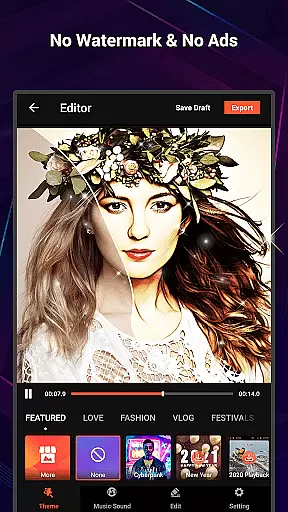
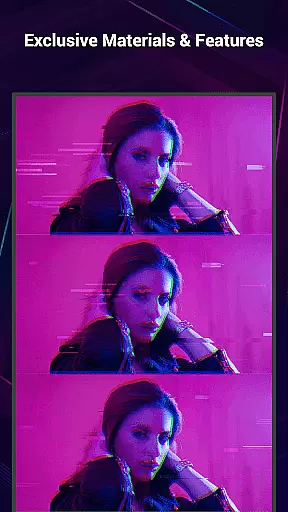
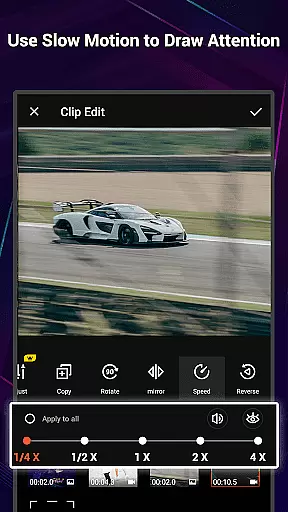
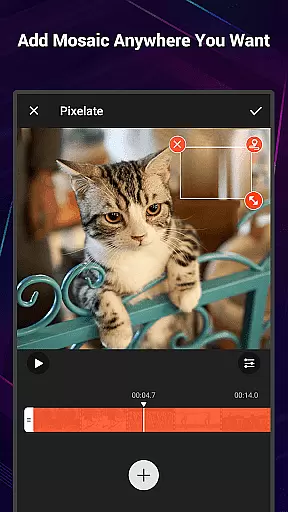
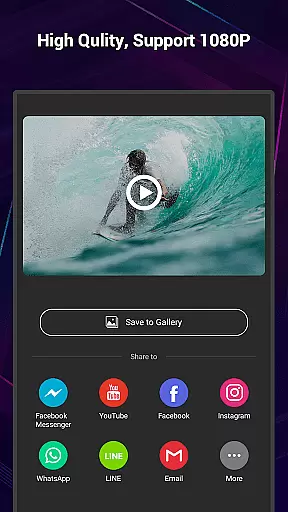
VideoShow Pro is a premium video editing application designed for both amateur and professional content creators. This app offers advanced features such as 1080p and 4K video export, an extensive library of exclusive materials, and the ability to apply up to 20 FX effects in one video. With its intuitive interface, users can easily create stunning videos by integrating photos, music, filters, transitions, and sound effects.
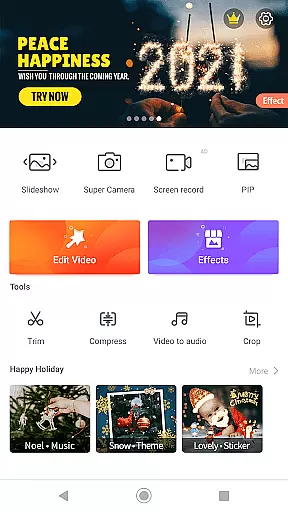
The app stands out with its specialized toolbox that includes Ultra Cut, Fast Trim, Video Compression, and Video to MP3 conversion. These tools allow users to refine their projects with precision. Whether you're looking to produce engaging social media content or professional-grade videos, VideoShow Pro provides all the necessary tools to bring your creative vision to life without any watermarks or advertisements.
VideoShow Pro boasts a comprehensive suite of video editing tools that cater to various creative needs. The app allows users to zoom and rotate videos, mix photos and videos seamlessly, and choose from a variety of elaborate themes tailored for occasions like birthdays or anniversaries. Its powerful features include multi-track editing, live dubbing, and support for both online and local music integration.
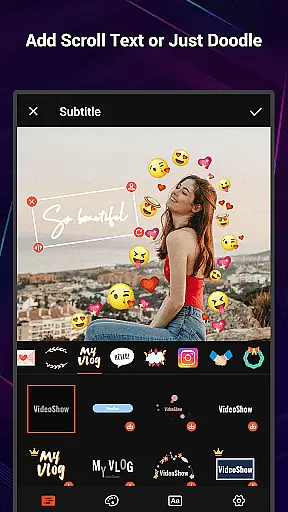
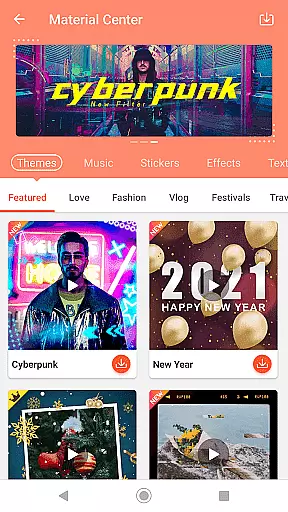
In addition to its core functionalities, VideoShow Pro offers a robust Materials Store filled with unique themes, music tracks, text styles, stickers, sound effects, and fonts. Users can further enhance their videos with stunning filters and stylish transitions. The app also supports square video formats optimized for social media platforms, making it an ideal choice for influencers and digital marketers who need quick yet high-quality video production solutions.
VideoShow Pro stands out with its exceptional video format compatibility, ensuring that users can work seamlessly with a wide range of video types. The application supports both standard and high-definition formats, including the ability to export videos in 1080p and even handle 4K resolution content.
This versatility is crucial for video editors who require flexibility in their projects. Whether you're working on a professional film or simply editing home videos, VideoShow Pro's broad format support means you won't be limited by compatibility issues.
The app simplifies the editing process by eliminating the need for pre-transcoding, allowing creators to start editing immediately without waiting for file conversions. This feature saves valuable time and maintains the quality of the original footage throughout the editing process.
With such comprehensive format options, users can confidently import, edit, and export videos knowing that their work will be preserved in the desired quality and format, making VideoShow Pro an excellent choice for diverse video editing needs.
VideoShow Pro incorporates advanced AI-powered editing features that revolutionize the way users enhance their video projects. These intelligent tools assist in automating complex editing tasks, such as applying filters, transitions, and effects, which would traditionally require manual adjustments and expertise.
The AI capabilities extend to beautification features, where the app can automatically apply enhancements to video footage, achieving professional-quality results with minimal effort. Users can access various stunning filters, including beauty and sketch effects, that are applied intelligently to maintain natural aesthetics.
Moreover, the app provides smart suggestions for music, text styles, and sound effects based on the video content being edited. This AI-driven approach not only speeds up the editing process but also helps users discover creative possibilities they might not have considered otherwise.
By leveraging these sophisticated AI-powered features, VideoShow Pro empowers both novice and experienced editors to produce polished, visually appealing videos efficiently, setting a new standard in mobile video editing applications.
High-quality 4K export
No ads or watermarks
Exclusive material library
Intuitive user interface
Comprehensive editing tools
Paid subscription required
Occasional performance lags
Limited free material options
Advanced tools may overwhelm beginners
Large app size

IPTV-Smarters Player Pro M3U - Watch Live Stream TV Channels with Chromecast
 4.00
4.00
Your media, on your terms.
4.10
Play ALL formats in 4K & HD. Video downloader, MP3 player, Chromecast & more.
4.80
VLC Remote lets you control your VLC Media Player on Mac, PC or Linux.
4.60
All format media Player, no need video converter any more!
4.00
This app was created to edit the metadata of music files.
4.20
KMPlayer Plus (Divx Codec) officially support Divx codec.
4.30
Play and download HD videos from all sources — fast, simple, and all-in-one.
4.2
Viddo: Generate Action Figure, AI Anime, AI kiss, AI hug Video from image & text
4.40
Video Trimmer, Video to MP3 Converter. Extract music from video, Easy & Fast.
4.80
High-Quality USB Camera Viewer & HDMI Display
4.70
GENRAL PRO - General Pro is the best video player that fully supports all formats.
4.70
All in one HD video downloader & player for multiple formats with full privacy
4.70
A Simple app to download Video & Music from the Internet.
4.70
?100% FREE! Download & save videos? safely in this app. All formats supported.
4.60
Fast & easy HD video downloader for all formats, support 4K playback & download.
4.60
Fast & Private HD Video Downloader with Built-in Proxy Browser and Video Player.
4.50
VLC for Android is the best open source video and music player, fast and easy!
4.10
Manage your IPTV live channels and VOD playlists (no playlist included)
3.80


User Reviews