


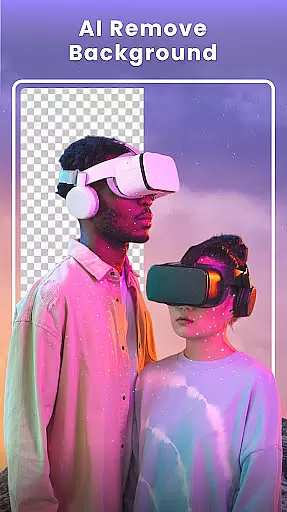



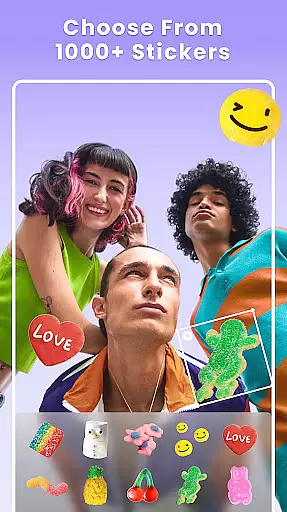

Photo Collage Maker - FunPic is a versatile photography app designed to help users create stunning photo collages and video stories. With over 300 layouts, users can combine photos into eye-catching arrangements while utilizing creative tools like filters, text, stickers, and brushes. The app also features AI-powered editing options such as background removal and object erasure, making it easy to craft flawless images.
In addition to its collage-making capabilities, FunPic offers a video collage feature that allows users to merge videos and photos with music, voice recordings, and decorative elements. Whether you're looking to design an Instagram feed, create a photo slideshow, or produce a personalized video story, this app provides all the necessary tools to express creativity and share your unique style.
FunPic stands out with its extensive range of features tailored for creative expression. Users can access over 1000 stickers, backgrounds, and templates to enhance their collages, along with themed designs suitable for various occasions like birthdays and festivals. The app supports advanced customization options, including doodling, text overlays, and aspect ratio adjustments, ensuring every creation aligns perfectly with platforms like Instagram and WhatsApp.
One of the app's key innovations is its AI-driven tools, which simplify complex tasks such as automatic background removal and object cleanup. These features ensure professional-quality edits without requiring advanced skills. Additionally, the video collage maker lets users blend media formats seamlessly, add music tracks, and apply animations, providing a dynamic way to relive memories through engaging visual storytelling.
Real-time capture and preview functionality is essential for ensuring that users can see exactly what they are capturing before finalizing their photo collages. This feature allows users to make instant adjustments, ensuring the best possible outcome.
Photo Collage Maker - FunPic offers an intuitive real-time preview option where users can experiment with different layouts, filters, stickers, and text overlays. As users modify their creations, they can instantly see how these changes will look in the final output, providing a seamless editing experience.
The benefit of this feature is significant as it empowers users to fine-tune every aspect of their collage projects with precision. Whether adjusting the layout or experimenting with various artistic elements, real-time previews ensure that the final product meets the user's expectations without any surprises.
This capability enhances user satisfaction by reducing the likelihood of errors and the need for re-edits, thus saving time and effort. It ensures that every collage created is a true representation of the user's vision, making the creative process both enjoyable and efficient.
AI beauty and enhancement features focus on improving the visual appeal of photos while maintaining a natural look. These tools leverage advanced algorithms to enhance facial features, skin tones, and overall image quality without making the edits appear artificial.
In Photo Collage Maker - FunPic, AI-driven enhancements allow users to beautify their images effortlessly. The app provides options to remove unwanted objects, apply artistic filters, and even change or blur backgrounds. Each tool is designed to deliver subtle yet effective improvements that preserve the authenticity of the original photo.
Users benefit from these enhancements by achieving professional-quality results without needing extensive photo editing skills. The AI ensures that all modifications blend seamlessly with the original image, offering a polished but natural appearance.
Ultimately, this feature adds value by enabling users to create stunning collages that highlight their cherished moments in the best light possible. By maintaining the natural essence of photos, it ensures that memories are preserved authentically, enhancing the storytelling aspect of each collage.
User-friendly interface
Extensive layout options
AI-powered editing tools
Versatile customization features
Regular content updates
Premium features locked behind paywall
Occasional ads in free version
Advanced tools may overwhelm beginners
Limited offline functionality
Large file size

Viewfinder, Light meter, Reciprocity failure time, DOF & Bellows Extension
 4.60
4.60
Android Native system HD camera app. Never been so simple and faster.
4.70
Perfect body tune & face app - photo retouch, makeup, slim body & beautify face.
4.80
HD Camera Pro with HD Video shooting, Panorama, Photo editor , Beauty Camera.
4.50
Movie camera, supports pro recording settings for filming. Try it and be amazed!
4.50
Professional photography on your mobile phone
4.20
Future baby face generator: AI kids generator, kid face! What my baby look like?
4.40
Easily view, share, delete photos with Gallery.
4.70
Edit photos with the picture generator: PS2 & AI Clay filters, cartoon effects.
4.50
Create funny photos and videos with the popular Time Warp Scan filter.
4.90
Light-weight Media Gallery app for Android made with Jetpack Compose
4.60
Unblur, enhance & restore photos with powerful AI photo enhancer tools.
4.60
Create AI photos & videos with Enhancer; restore, fix, beautify, enhance photos
4.50
Search, tag and rate your way to an organized image gallery
4.40
[3DSteroid Pro] is a stereoscopic application for Android.
4.30
Create & Edit with AI: AI Remove, Enhance, Retouch, Filter
4.10
Create amazing frames with up to five photos. Rounded corners, effects and more!
3.60
GCamera allows all GCam features on all phone models! Better photos with GCamera
3.30
Snap photos remotely using your Garmin watch as the camera trigger
4.1


User Reviews