
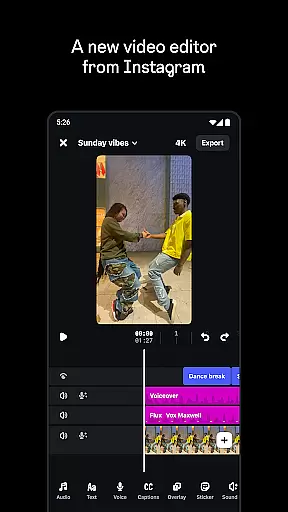
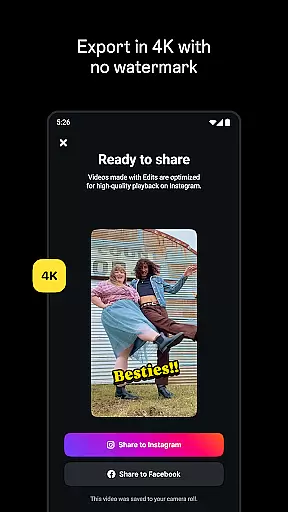
Edits is a powerful mobile video editor designed specifically for content creators who want to produce professional-quality videos directly from their smartphones. The app offers an all-in-one solution for video creation, providing essential tools such as 4K exporting without watermarks, high-quality clip capturing, and seamless Instagram sharing.
In addition to basic editing features, Edits includes advanced functionalities like single-frame precision editing, AI animation, green screen effects, and automatic caption generation. These capabilities ensure that users can create engaging videos with customized visual and audio elements while maintaining clarity and reducing background noise.
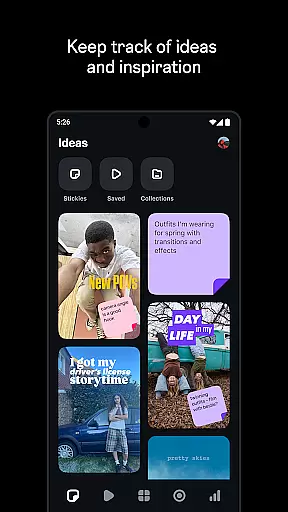
The app also supports the creative process by offering features like draft management, a live insights dashboard for tracking performance, and access to trending audio reels for inspiration. This makes Edits particularly suitable for social media creators looking to streamline their workflow and enhance their content strategy.
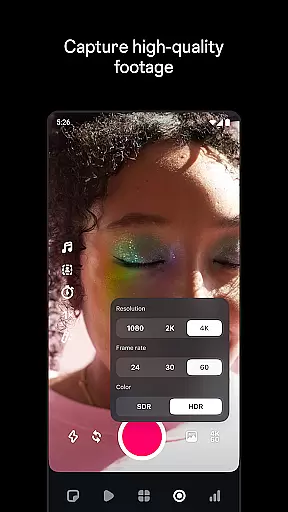
Edits stands out in the Video Players & Editors category due to its comprehensive suite of editing tools tailored for both amateur and professional creators. One of its key features is the ability to export videos in 4K resolution without any watermark, ensuring high-quality output for various platforms. Additionally, the app allows users to capture clips up to 10 minutes long and start editing immediately, which significantly speeds up the production process.
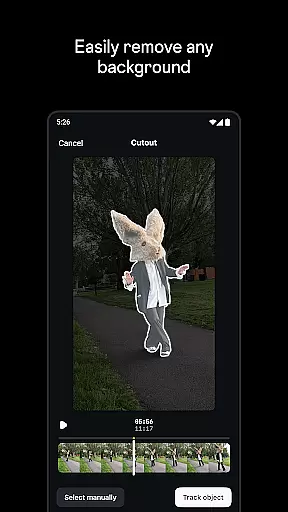
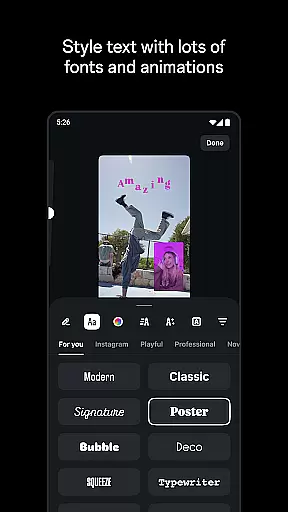
The app's advanced editing options include single-frame precision adjustments, customizable camera settings, and AI-powered animations. Users can experiment with different visual effects such as green screens, cutouts, and video overlays. Moreover, Edits provides a rich library of fonts, sound effects, filters, stickers, and more, allowing for extensive personalization of video content.
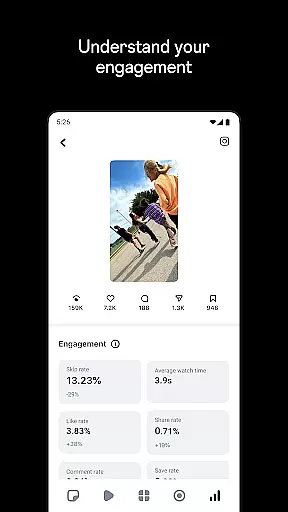
Beyond editing, Edits helps creators make informed decisions by offering features like a live insights dashboard to monitor reel performance and a repository of trending audio reels for inspiration. These aspects not only enhance the quality of the final product but also contribute to a more strategic approach to content creation.
Video format compatibility is crucial for any video editor, and Edits, an Instagram App, excels in this area. The app supports a wide range of video formats, allowing creators to import and export videos without worrying about compatibility issues.
With the capability to export videos in 4K resolution without watermarks, Edits ensures that your creations retain their high quality across different platforms. This feature is particularly beneficial for content creators who aim to maintain professional standards in their work.
Moreover, Edits provides users with the flexibility to capture high-quality clips directly within the app, supporting lengths up to 10 minutes. This seamless integration of capturing and editing capabilities ensures that users can start creating immediately after recording, streamlining the entire creative process.
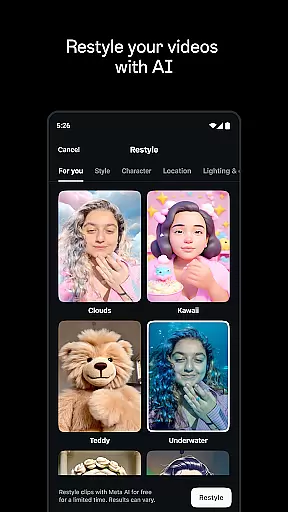
Edits leverages advanced AI-powered editing features to enhance the video creation process. One standout feature is the ability to bring images to life through AI animation, providing creators with innovative ways to tell their stories.
In addition to AI animation, the app offers tools like green screen effects, cutout options, and video overlays, which allow for extensive customization of video backgrounds. These features empower users to produce visually captivating content that stands out on social media platforms.
Audio enhancement is another key aspect where AI plays a significant role. Edits can make voices clearer and remove background noise, ensuring that the audio quality matches the visual excellence of the videos. Furthermore, automatic caption generation with customizable appearance options makes content more accessible and engaging for diverse audiences.
User-friendly interface
Advanced editing tools
High-quality export options
AI-powered features
Seamless social media integration
Limited to mobile devices
Requires learning curve
Some features may need subscription
Occasional bugs reported
Instagram-centric design

A full editing room to accompany your Insta360 cameras and handheld gimbals.
 3.30
3.30
HD video & music player - All format support with floating & PIP mode!
3.80
?100% FREE! Download & save videos? safely in this app. All formats supported.
4.60
Snaptubè Video Downloader app allows to download videos and music in Snaptube. .
4.60
Stream Web Videos to Chromecast, Samsung, LG, Sony, Roku, Fire TV, DLNA + more
4.00
Seamlessly connect and control your smart devices, anytime, anywhere with ease.
4.60
Mix with Virtual DJ directly from your phone or tablet !
3.10
Browser for Sony TV to stream web videos, online movies and live tv
3.20
VLC for Android is the best open source video and music player, fast and easy!
4.10
Download Hub, easy and private way to download and enjoy your videos offline
4.80
Screen recorder with audio to take live videos & Screenshot in high quality!
4.70
Video Downloader, Multiple Resolution Options, Video Player
4.50
Cast to Chromecast, Xbox, Fire Stick, Roku, DLNA, Smart TV & No Feature Limited!
4.50
KineMaster, Your Ultimate Video Editor!
4.40
Create & edit videos with AI
4.30
AirMirror is Receiver for Screen Mirroring and Casting from Apple Devices.
3.60
This app is an emulator of some specific IPTV boxes
3.50
Video player with powerful streaming playback and various convenient features.
2.10
Powerful HD video player with support for all formats & subtitles.
4.1


User Reviews