
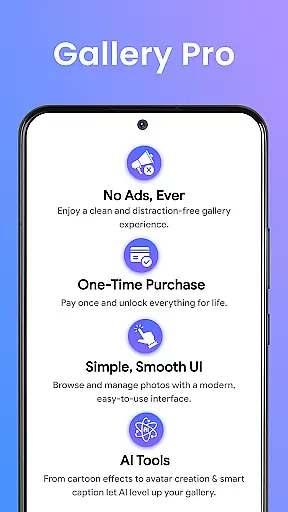
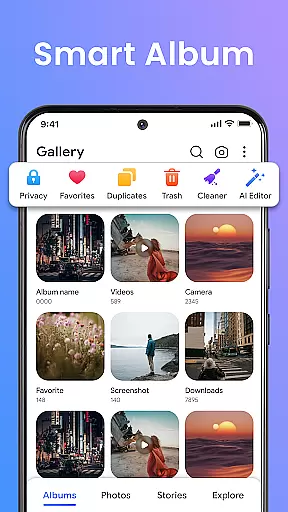
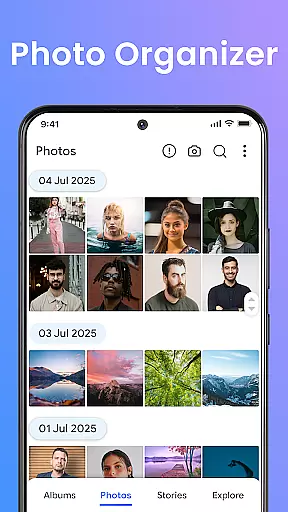
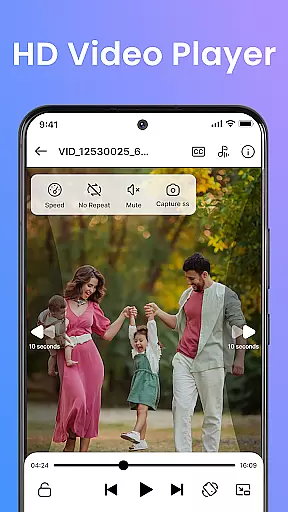
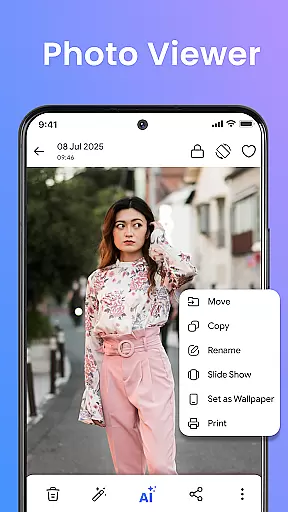


Gallery Pro is a comprehensive HD photo gallery app designed to help users organize, manage, and secure their photos and videos. With its clean and intuitive interface, the app offers effortless media management through features like a gallery vault, intelligent photo organizer, and seamless slideshow creator. Whether you need to sort your albums, view high-quality images, or protect private moments, Gallery Pro provides all the necessary tools in one place.
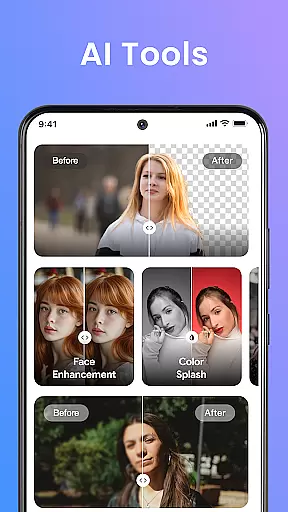
The app stands out with its advanced security features, particularly the encrypted vault that keeps sensitive media safe. It also includes practical functionalities such as smart tagging, advanced search, and built-in editing tools. These features ensure users can easily find, enhance, and protect their cherished memories. The AI-powered tools further elevate the experience by offering creative options like avatar creation and smart cleanup.
Gallery Pro is ideal for photography enthusiasts, privacy-conscious users, and anyone looking to maintain an organized digital library. By combining performance with protection, this app catifies both casual users and professionals who demand efficiency and security in managing their media assets.
Gallery Pro boasts a range of powerful features tailored to meet diverse user needs. One of its standout capabilities is the Smart Photo Organizer, which allows users to create albums, add tags, and utilize advanced search functions to quickly locate specific memories. This feature ensures that even large collections of photos and videos remain neatly organized and easily accessible.
Another significant aspect is the built-in Photo Editor, equipped with essential tools like crop, rotate, and AI-driven enhancements such as object removal and background blur. These tools enable users to refine their images effortlessly. Additionally, the app's Vault functionality provides robust security by encrypting and safeguarding private media, ensuring peace of mind for users concerned about data privacy.
Gallery Pro also includes innovative AI tools and a stylish Slideshow Creator, allowing users to transform their favorite moments into shareable presentations. With these comprehensive features, Gallery Pro not only simplifies media management but also enhances creativity and personal expression, making it an indispensable tool for modern digital life.
Real-time capture and preview functionality is essential for any photography app aiming to provide a seamless user experience. Gallery Pro offers an intuitive interface that allows users to instantly view their captured photos and videos in high definition. This immediate feedback enables photographers to make necessary adjustments on the fly, ensuring they capture the perfect shot every time.
The app's advanced processing engine ensures that previews are rendered quickly and accurately, maintaining the quality of the original content. Whether you're shooting in low-light conditions or capturing fast-moving subjects, Gallery Pro's real-time capabilities ensure that you never miss a moment. The app also supports various file formats, giving users the flexibility to work with their preferred types.
For users who value efficiency and precision, Gallery Pro's real-time capture and preview feature is a game-changer. It not only saves time but also enhances the overall photography experience by providing reliable and responsive tools. With this feature, users can focus more on their creative process rather than technical adjustments.
AI-powered beauty and enhancement features have become a staple in modern photo editing applications. Gallery Pro takes this a step further by focusing on natural-looking enhancements that preserve the authenticity of the original image. Using sophisticated algorithms, the app intelligently identifies facial features and applies subtle adjustments that enhance beauty without appearing artificial.
Users can take advantage of various AI tools such as skin smoothing, blemish removal, and teeth whitening, all designed to create a polished yet genuine look. These features are particularly beneficial for those who want to improve their photos without sacrificing realism. Additionally, Gallery Pro offers customizable settings, allowing users to control the intensity of each enhancement.
By prioritizing naturalness, Gallery Pro ensures that edited images retain their original charm and character. This approach not only boosts user confidence in sharing their photos but also sets the app apart from competitors that may rely on more aggressive editing techniques. Ultimately, Gallery Pro provides a balanced solution for users seeking professional-quality results with minimal effort.
User-friendly interface
Advanced security features
Comprehensive photo editing tools
Efficient media organization
Innovative AI functionalities
Requires storage permissions
Premium features may cost extra
Occasional bugs reported
Limited cross-platform support
Learning curve for new users

All-in-One Editor & AI Photo Enhancer, Collage, Cartoonify, Funny Stickers & BGS
 4.10
4.10
AI photo editor with hair editor, retouch tools, hair color changer & filters!
4.50
Transform photos into videos! Create realistic or anime-style images easily!
4.50
Superimpose one photo on top of another using the original Superimpose app!
3.20
Photo editor & gallery. Crop pictures & edit photos offline, no wifi!
4.50
A reflected light meter with spot metering and incident light metering.
4.40
AI photo enhancer with Sora 2! Enhance, descratch, and colorize your old photos.
4.50
RAW video capture with advanced controls
4.40
Welcome to ProShot, the most powerful camera app on Android.
4.20
Photo editor: AI filters, photo enhancer, pic collage maker, AI art generator.
4.80
Perfect body tune & face app - photo retouch, makeup, slim body & beautify face.
4.80
Create collages easily! Nice pic collage maker & background eraser for Instagram
4.50
Easily stitch panoramas from multiple photos or video.
4.40
How would you look like with a differently shaped nose, chin or lips?
3.90
Gallery Slideshow is slideshow maker app for slideshow from your gallery photos.
3.90
Remote control of the phone camera from your Wear OS smartwatch
3.70
Create amazing frames with up to five photos. Rounded corners, effects and more!
3.60
Raw Image Viewer. Gallery with support of raw images (.cr3, .cr2, .nef, .raf).
2.00
Photo Album Watch Face shows your favorite pictures as a Watchface.
1.90


User Reviews