
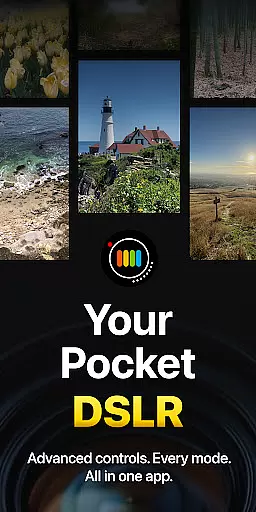
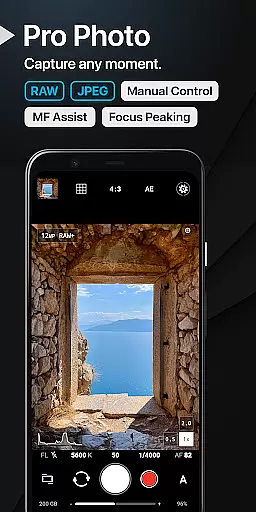
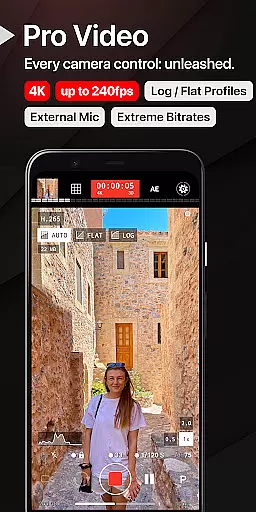
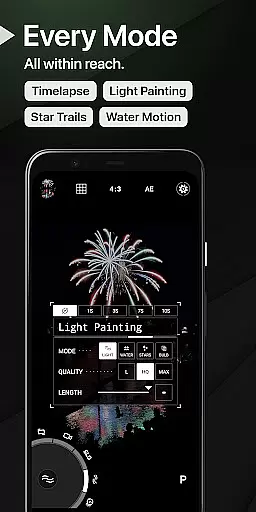
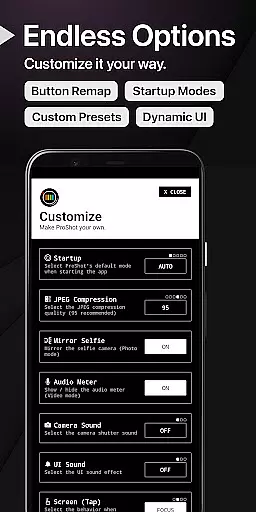
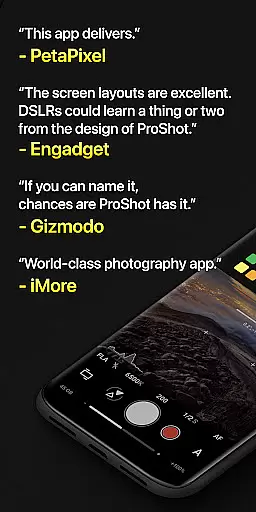
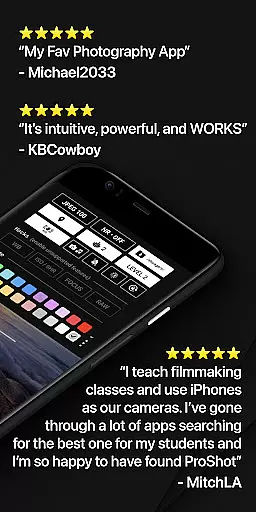
ProShot is a professional-grade photography and filmmaking application designed for Android users who demand DSLR-level control in their mobile device. This app offers an extensive range of manual, semi-manual, and automatic controls, enabling photographers to adjust exposure, ISO, shutter speed, white balance, and more with precision. Whether capturing RAW images, recording 8K video, or experimenting with Light Painting modes, ProShot adapts to diverse shooting scenarios while ensuring privacy by not collecting or transmitting personal data.
The app's Dual Dial system allows seamless navigation through settings, while features like Bulb mode, Timelapse, and LOG color profiles cater to advanced creative needs. With support for Vendor Extensions, HEIC formats, and external microphones, ProShot ensures compatibility with modern devices and workflows. Its intuitive interface and customizable options make it suitable for both beginners and professionals, empowering users to capture high-quality photos and videos without carrying bulky equipment.
ProShot stands out with its comprehensive feature set tailored for serious photographers and videographers. The app leverages the camera2 API to deliver DSLR-like functionalities such as Shutter Priority, ISO Priority, and Full Manual Control across multiple shooting modes including Auto, Program, Manual, and two Custom modes. It supports RAW (DNG), JPEG, and RAW+JPEG formats, along with HEIC compatibility on select devices, ensuring maximum flexibility in post-processing.
For filmmakers, ProShot provides robust video capabilities, including up to 8K resolution, adjustable frame rates from 24 FPS to 240 FPS, and H.264/H.265 encoding. Advanced tools like focus peaking, histogram analysis, and real-time audio monitoring enhance the production process. Additionally, unique features like Light Painting modes, Bulb integration, and zero-lag bracketing expand creative possibilities. The app also includes practical utilities such as customizable accent colors, a built-in camera roll, and shortcuts for GPS and brightness adjustments.
Real-time capture and preview functionality is essential for photographers who need to see exactly what their camera is capturing before taking the shot. ProShot offers a sophisticated real-time preview system that ensures every detail is captured as seen on the screen.
The app leverages advanced processing capabilities to provide an instantaneous view of the scene, allowing users to adjust settings like exposure, focus, and white balance with precision. This immediate feedback loop empowers photographers to make informed decisions quickly.
With ProShot's real-time features, users can experiment with different modes such as Light Painting or Bulb mode without any lag, ensuring they never miss a fleeting moment. The responsive interface gives creators confidence in their ability to capture perfect shots under various conditions.
This seamless integration of real-time adjustments enhances the overall photography experience by providing reliable and accurate previews, thus enabling photographers to unleash their creativity without technical hindrances.
While ProShot does not specifically market itself with AI beauty enhancements, it excels in offering natural photo quality through its manual controls and professional settings. Users can achieve stunning yet authentic images by leveraging the app's powerful editing tools.
The application provides extensive options for adjusting parameters such as sharpness, tone mapping, and noise reduction. These features allow users to enhance their photos while maintaining a natural look, avoiding the over-processed appearance common in some AI-driven applications.
Photographers can customize their post-processing workflow using ProShotu2019s JPEG quality settings and other output adjustments. This flexibility ensures that each image retains its original character while benefiting from subtle enhancements that elevate its visual impact.
By focusing on delivering true-to-life imagery rather than relying on artificial enhancements, ProShot supports photographers in creating compelling visuals that stand out for their authenticity and attention to detail.
DSLR-level controls
Privacy-focused design
RAW and 8K support
Intuitive Dual Dial UI
Extensive customization
Steep learning curve
Premium price point
Device compatibility issues
Occasional performance lags
No free trial available

[3DSteroid Pro] is a stereoscopic application for Android.
 4.30
4.30
Shooting photos and records video easily and efficient with professional Camera
4.30
What celebrity do you look like? Celebs will find your celebrity match!
4.10
Photo prints, cards, & gifts at Walgreens. Easy ordering & fast local pickup !
4.80
Take videos and pictures with the popular TikTok TIME WARP SCAN filter.
4.60
Professional photography on your mobile phone
4.20
Transform Photos: Edit, Beautify and Craft Memories & Make Collages!
4.10
Snap photos remotely using your Garmin watch as the camera trigger
4.3
Try an anime version, cartoon yourself, and generate AI hug or aging videos!
3.70
Perfect body tune & face app - photo retouch, makeup, slim body & beautify face.
4.80
Photo editor: AI filters, photo enhancer, pic collage maker, AI art generator.
4.80
The original Rarevision VHS look seen everywhere!
4.70
Viewfinder, Light meter, Reciprocity failure time, DOF & Bellows Extension
4.60
Light-weight Media Gallery app for Android made with Jetpack Compose
4.60
Easily create custom gifts, cards, photo books & more on the Shutterfly app!
4.60
Easily stitch panoramas from multiple photos or video.
4.40
Turn your phone into a professional camera - full DSLR manual photography
4.30
Smart, light, and fast photo and video gallery
4.30
Add a dreamy vibe to your selfies and videos with soft style filters
4.2


User Reviews