
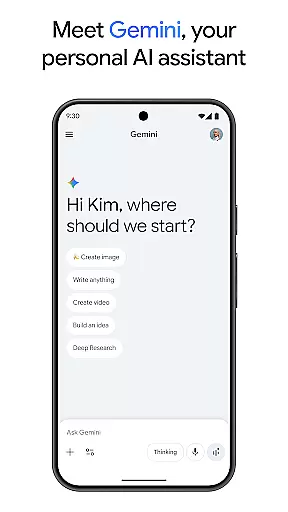
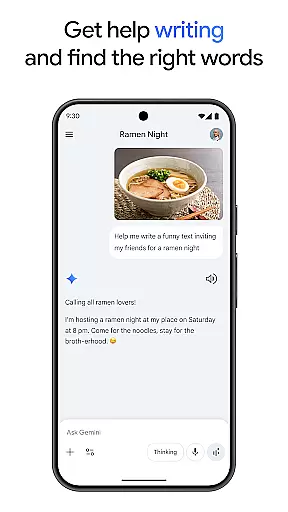
Gemini, developed by Google, is a powerful AI assistant designed to enhance both creativity and productivity. This app provides direct access to Google's advanced family of AI models, enabling users to brainstorm ideas, simplify complex topics, and rehearse for important events through its Gemini Live feature. Additionally, it supports creative projects with Canvas, allowing users to prototype apps, games, web pages, and more.
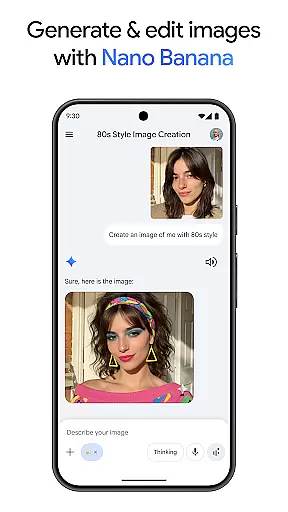
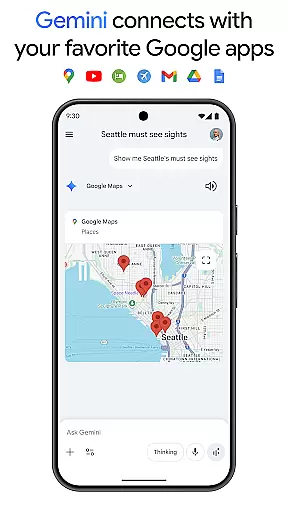
With seamless integration into popular Google services like Search, YouTube, Maps, and Gmail, Gemini facilitates smarter study habits through quiz creation and interactive visuals. It also offers unique functionalities such as turning files into podcasts, creating stunning images from simple text descriptions, and planning trips efficiently. The app includes innovative tools like Nano Banana for image generation and editing, making it an all-encompassing productivity tool.
For those seeking enhanced capabilities, upgrading to the Pro or Ultra plans unlocks features like a 1M token context window, access to top-tier models, and exclusive functionalities including video generation and early access to new AI innovations. Whether used for personal or professional purposes, Gemini stands out as a versatile assistant that adapts to various needs.
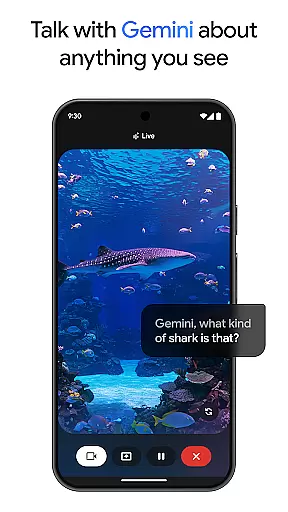
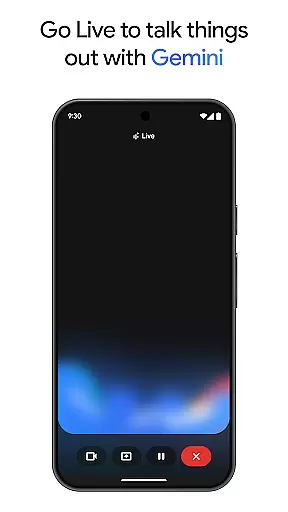
Gemini boasts a wide array of features tailored to boost productivity and creativity. One standout feature is Gemini Live, which allows users to engage in dynamic conversations by sharing their camera or screen, facilitating discussions about anything visible. This real-time interaction capability sets Gemini apart from traditional assistants.
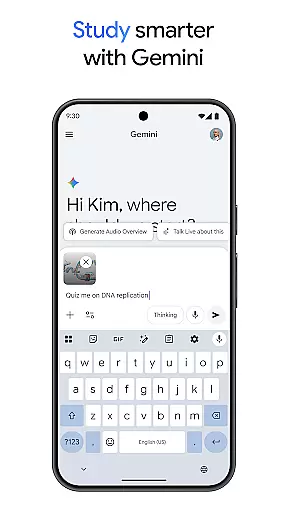
The app's Canvas tool empowers users to bring ideas to life, supporting the creation of apps, games, web pages, infographics, and more. Integration with Google's ecosystem enhances functionality, offering streamlined access to services like Search, YouTube, Maps, and Gmail. Educational tools include quiz and flashcard creation, interactive visuals, and real-world examples, aiding in effective learning.
Additional features encompass transforming files into podcasts, generating high-quality images from text prompts, and efficient trip planning. Advanced options like Nano Banana for image manipulation and premium plans providing extended context windows and cutting-edge AI models further enrich the user experience, making Gemini a comprehensive solution for diverse tasks.
Gemini by Google redefines core task management through its advanced AI capabilities, offering users an intuitive way to organize and prioritize their daily tasks. The app integrates seamlessly with popular Google services such as Gmail and Google Calendar, ensuring that all your important deadlines and appointments are centrally managed and easily accessible.
One of the standout features is its ability to generate quizzes and flashcards automatically, which aids in studying and information retention. This functionality not only simplifies complex topics but also enhances productivity by turning any file into a digestible format like a podcast, making it easier for users to absorb information on the go.
Furthermore, Gemini's brainstorming tools allow users to develop new ideas or refine existing ones efficiently. Whether you're planning a trip or working on a creative project, Gemini provides summaries, deep dives, and source links all in one place, streamlining the research and planning process.
The app's powerful context window of up to 1 million tokens ensures that even the most intricate projects can be handled with ease, processing vast amounts of data quickly and accurately. This makes Gemini an indispensable tool for anyone looking to supercharge their productivity and creativity.
Cross-device synchronization is a critical feature of Gemini, ensuring that your data and preferences are reliably synced across all your devices. Whether you're switching from your phone to your tablet or desktop, Gemini maintains continuity, allowing you to pick up right where you left off without missing a beat.
This reliability is enhanced by Gemini's integration with essential Google apps like Search, YouTube, and Google Maps. Such seamless connectivity means that your interactions and data updates are reflected instantly across platforms, providing a cohesive user experience no matter which device you choose to use.
For professionals and students alike, this synchronization extends to collaborative environments, enabling real-time sharing and editing of documents, presentations, and more. With Gemini, team members can work together efficiently, knowing that their contributions are updated and visible to everyone involved.
Additionally, upgrading to the Pro or Ultra plans offers even greater synchronization benefits, including access to industry-leading models and features like video generation with Veo 3.1 Fast. These premium options ensure that users have the most reliable and cutting-edge tools at their disposal, further enhancing cross-device productivity.
Enhances creativity
Boosts productivity
Seamless Google integration
Innovative AI tools
Comprehensive feature set
Premium features costly
Complex for beginners
Limited offline functionality
Requires Google account
Privacy concerns

Client for Nextcloud Deck
 4.60
4.60
Experience Reading - Night Mode for Documents
4.40
Android Wallet Password Manager
4.80
Absolutely the best CNC machinist speed and feed calculator around. fswizard.com
4.60
Secure, fast, open-source, Remote Desktop Client for Windows and Linux with SSH
4.60
CalenGoo is a very flexible and feature-rich calendar app
4.40
Simple and reliable communication between inmates, friends and family
3.20
Docker, Kubernetes management over Portainer Mobile
4.40
AT&T Internet customers can use this app to personalize their Wi-Fi network.
4.40
8 custom complications. Custom Time Fonts. Beautiful color schemes. A++ Design.
5.00
Best Tool for the professionals Electrician, Electrical contractors, etc.
4.90
Protect and view your important info on your phone and tablet with eWallet®
4.80
All document reader, all in one file viewer read PDF, DOCX, XLS, PPT, TXT files.
4.60
Planet Free VPN - The best Fast Unlimited and Secure VPN Without Logs
4.50
Automates browsing any website and notifies you of important changes or events
4.30
Font maker keyboard with your own handwriting
4.10
Experience real multitasking on your Android!
4.00
Smart PDF reader & editor to view, organize and manage PDF documents easily.
3.70
Make your handwriting beautiful, even more than pen on paper.
3.60


User Reviews