
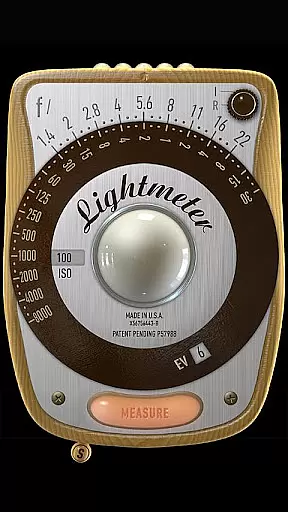
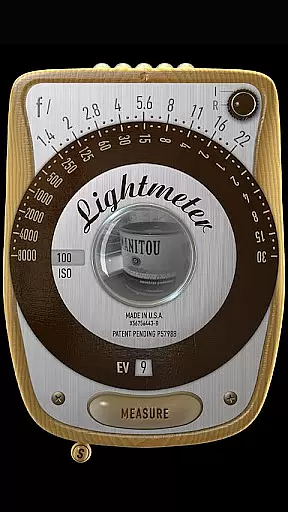
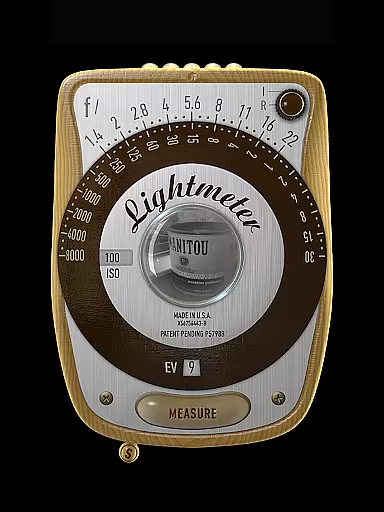
LightMeter is a specialized photography app designed for analog photographers who appreciate traditional techniques. This application provides both reflected and incident light metering capabilities, making it an essential tool for achieving accurate exposure settings. With support for ISO ranges from 3 to 6400 and compatibility with devices that can save exposure data to EXIF, LightMeter offers reliable solutions for professional and amateur photographers alike.
The app's unique features include low light alerts, camera muting functionality (where supported), and calibration options. These tools ensure users can adapt the app to various shooting conditions. Whether you're working in controlled studio environments or unpredictable outdoor settings, LightMeter helps you maintain precise control over your analog photography process.
LightMeter stands out with its comprehensive feature set tailored specifically for analog photography enthusiasts. The app supports an extensive ISO range from 3 to 6400, catering to diverse lighting conditions and film types. Its dual light metering system includes incident light metering (requiring a light sensor) and reflected light metering (compatible with select cameras), providing flexible measurement options.
Additional functionalities enhance the user experience significantly. Photographers can benefit from practical features like vibration feedback on measure/hold, state and ISO recall upon resuming, and alternative ISO selectors. The app also displays EXIF and sensor information on-screen, offers spot measurement for cameras with zoom capabilities, and ensures optimal performance across all screen resolutions, including extra high-definition displays.
LightMeter offers a unique real-time capture and preview feature tailored for analog photography enthusiasts. This functionality allows users to accurately measure both incident and reflected light, providing essential information for perfect exposure.
The app supports a wide ISO range from 3 to 6400, catering to various lighting conditions and photographic styles. With the ability to display Exif and sensor information on-screen, photographers can make informed decisions about their shots before capturing.
One of the key advantages is the low light alert, which ensures that users are aware of challenging lighting situations. Additionally, features like vibration on measure/hold and the option to mute the camera enhance the overall user experience during shoots.
While LightMeter does not focus on AI beauty enhancements, it excels in delivering natural and precise light metering. The calibration feature ensures that readings are as accurate as possible, given the limitations of mobile device sensors.
Users can take advantage of advanced functionalities such as spot measurement if their camera has zoom capabilities. This precision helps achieve professional-grade results without relying on post-processing enhancements.
Moreover, the app's compatibility with all screen resolutions, including extra high resolution, guarantees a seamless experience across different devices. This dedication to quality and detail makes LightMeter an indispensable tool for serious analog photographers.
User-friendly interface
Wide ISO range support
Reflected light precision
Customizable settings
Comprehensive feature set
Limited device compatibility
Incident light dependency
Regional feature restrictions
Requires technical knowledge
No automatic adjustments

Photo editor: face & body editor, beauty cam, filters and quality enhancer.
 4.00
4.00
Search, tag and rate your way to an organized image gallery
4.40
An interval timer to automate photo taking process for timelapse
2.90
How old age camera Gender Swap App Face Shape Hairstyle App Hair Styler App fun!
4.00
Pet Camera
3.70
Movie camera, supports pro recording settings for filming. Try it and be amazed!
4.50
Professional photography on your mobile phone
4.20
Collage your moments in one tap: 1000+ layouts, filters, stickers, and texts.
4.90
Solocator stamps photos you take with GPS location, Compass Direction, Date/Time
3.80
Create funny photos and videos with the popular Time Warp Scan filter.
4.90
AI Photo Editor with 100+ Filters, Effects! Remove BG, Retouch & Photo Enhancer.
4.80
Amazing Photo Effects - The most fun you can have with your photos!
4.70
1M influencer's special filter
4.60
A must-have app for landscape photographers
4.60
Turn photos into cartoons & avatars! - Photo Editor, Cartoon Face!
3.90
Superimpose one photo on top of another using the original Superimpose app!
3.20
Application for remote controlling DSLR
3.00
Add a dreamy vibe to your selfies and videos with soft style filters
4.5
Snap photos remotely using your Garmin watch as the camera trigger
4.2


User Reviews