

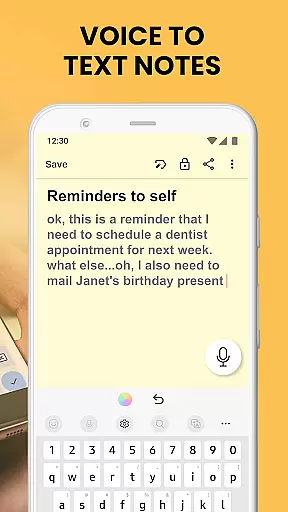
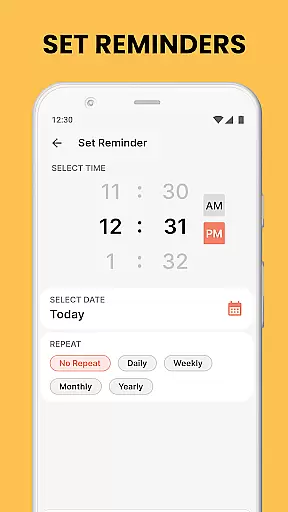
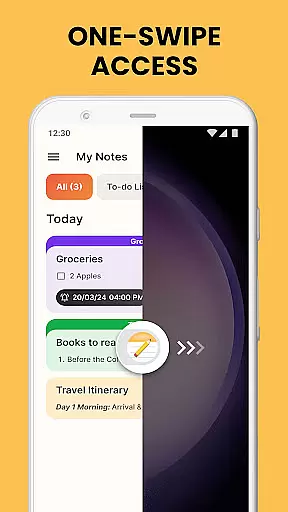
Notes Launcher is a productivity-focused application designed to streamline note-taking and task management. The app allows users to quickly jot down thoughts, create to-do lists, and organize important information through an intuitive interface. With features like one-swipe access from the home screen, users can instantly create notes without any hassle. The app also provides essential tools for text formatting, color-coding, locking sensitive notes, and categorizing entries, making it a versatile tool for both personal and professional use.
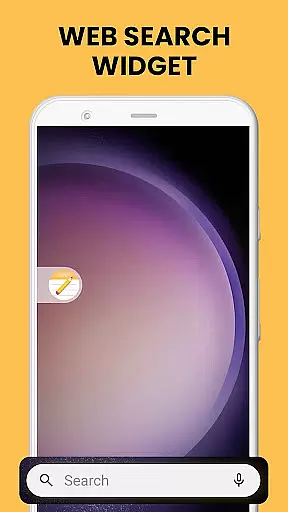
In addition to its core note-taking capabilities, Notes Launcher offers added functionalities that enhance user experience. These include a customizable home screen widget displaying time and weather, beautiful themed wallpapers for personalization, and multi-touchpoint search options powered by Yahoo. Whether you need to manage work tasks or organize personal plans, this app provides a comprehensive solution that helps you stay productive and organized in your daily life.
Notes Launcher stands out with its rich feature set tailored for efficient productivity. The app's quick note creation allows users to swipe right from their home screen to instantly capture ideas and important information. This seamless accessibility is complemented by advanced text formatting tools that let users customize font sizes, apply italic or underline styles, and create bulleted or numbered lists, ensuring notes are clear and professional-looking.
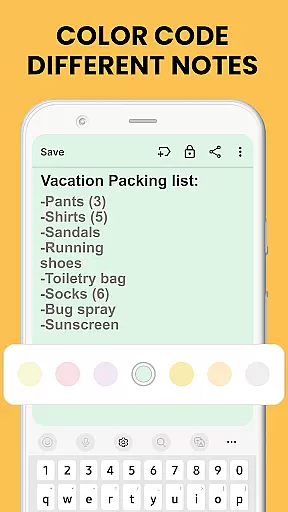
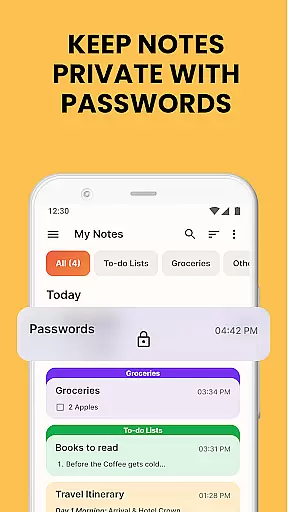
Security and organization are prioritized with features like note locking and color-coding. Users can secure sensitive information with password protection while organizing notes using different colors for easy prioritization. The app also supports categorization and sorting filters, enabling users to group related notes and arrange them by modification date or creation order. With its powerful search functionality and sharing options via email or social media, Notes Launcher ensures that finding and collaborating on notes is simple and efficient.
Effective task management is essential for productivity, and Notes Launcher excels in this area. The app provides a comprehensive suite of tools designed to help users organize their daily tasks efficiently.
With features like note-taking, checklists, and categorization, the app allows users to create structured workflows. Users can format text, color-code notes, and even lock sensitive information, ensuring both organization and security.
The sorting and search functionalities further enhance task management by allowing quick retrieval of notes. Whether it's arranging notes by modification date or using the intuitive search bar, finding specific information has never been easier.
These capabilities ensure that users can maintain a clear overview of their responsibilities while having instant access to important details, making Notes Launcher an indispensable tool for managing personal and professional tasks.
In today's interconnected world, reliable cross-device synchronization is crucial for maintaining workflow continuity. Notes Launcher addresses this need by offering seamless syncing capabilities across multiple devices.
Users can start a note on their smartphone and continue editing it on a tablet or computer without missing a beat. This ensures that important information is always up-to-date and accessible, regardless of the device being used.
The app employs robust cloud-based technology to guarantee data consistency and prevent conflicts during synchronization. This means users can trust that their notes will be accurately reflected across all their devices.
By providing dependable cross-device functionality, Notes Launcher empowers users to work flexibly and efficiently, knowing their information is securely synchronized wherever they go.
User-friendly interface
Quick note creation
Advanced security features
Customizable organization tools
Multi-platform functionality
Home screen layout changes
Limited design customization
No cloud sync in free version
Occasional performance lags
Ads in free version

Unlock AutoNotification
 4.00
4.00
Wake up & get tasks done! Add alarms & reminders on the Clock Launcher.
4.00
8 custom complications. Custom Time Fonts. Beautiful color schemes. A++ Design.
5.00
Fill, sign & send docs, forms, agreements & contracts via electronic signature.
4.50
Make apps & sites with natural language prompts
4.10
Translate text/voice/photos in 150+ languages. Offline & fast translator app.
4.50
Docker, Kubernetes management over Portainer Mobile
4.40
Great calculator for Android named one of USA TODAY's "25 Essential Apps".
4.90
Access your phone's notifications, calls, apps, photos & texts on your PC
3.90
Understand anything with a personalized AI research assistant
4.80
Use powerful, industry-leading AI tools to generate visual charts from any data
4.80
aCalendar+ makes your day, week and month
4.70
Scan paperwork into PDF/JPG, generate your own e-signature and send fax or email
4.70
The Pro Version of Android's tiniest Notepad app. Just 0.3MB but feature-packed!
4.60
Calendar 2023 widget for Android. Appointment scheduler, planner, and reminder
4.60
A lightweight JSON & XML files creator, editor and viewer (Premium Version)
4.40
Easily read and manage all your PDF files
4.10
The ultimate file manager for rooted devices. The original and still the best.
4.00
Smart PDF reader & editor to view, organize and manage PDF documents easily.
3.70


User Reviews