
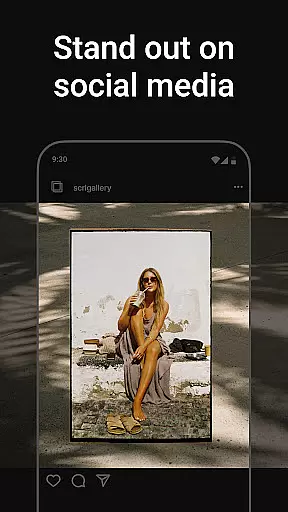
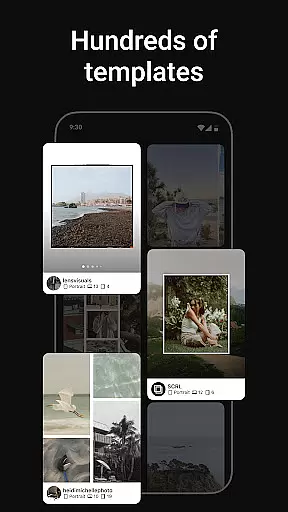
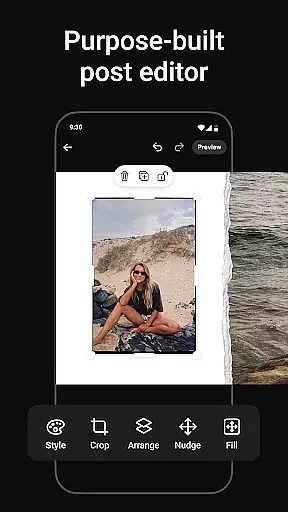
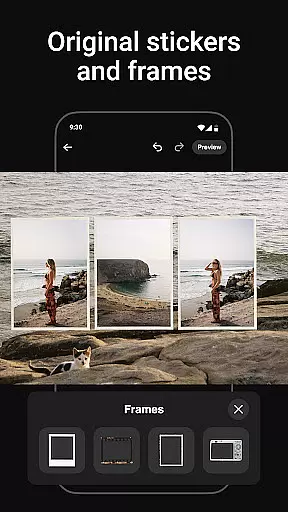
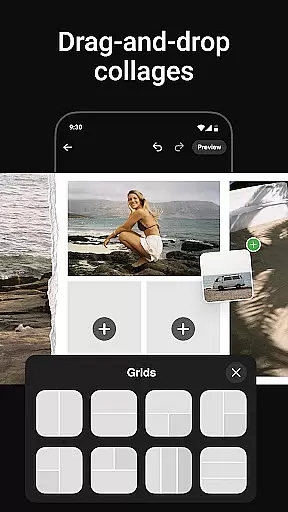
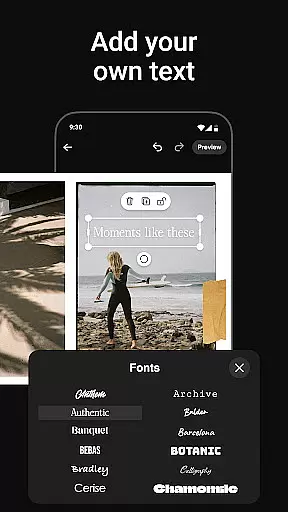
Photo Collage Maker by SCRL is the leading app for creating stunning photo collages and seamless Instagram carousel posts. Designed for influencers, artists, and photography enthusiasts, this app offers a robust set of tools to make your social media posts stand out. With hundreds of hand-picked templates, a freeform canvas, and advanced design features, users can create personalized collages that reflect their unique style.
The app also allows users to add more than 10 photos in a single post, breaking traditional Instagram layout limitations. Its intuitive swipe-through carousel feature ensures smooth transitions between images, keeping audiences engaged. Trusted by Grammy Award-winning artists and industry leaders, Photo Collage Maker is the ultimate tool for elevating your Instagram game while offering professional-grade results.
Photo Collage Maker stands out with its rich feature set tailored for creative professionals. The app provides an extensive library of collage templates curated by design experts, ensuring high-quality options for every occasion. These templates are updated regularly, giving users fresh choices for their projects.
One of the app's key highlights is its freeform canvas, which allows users to zoom in and out, adjust layouts, and combine multiple elements like stickers, overlays, and text. This flexibility enables complete creative control. Additionally, the app includes hundreds of stickers and overlays to enhance designs further, making it easy to produce polished, professional-looking posts.
For seamless sharing, the app integrates instant posting to Instagram, eliminating the need for manual exporting. SCRL Premium subscribers gain access to exclusive features such as gradient backgrounds, video grids, and premium templates, taking creativity to the next level.
Real-time capture and preview functionality is essential for ensuring that every photo collage or carousel post created with Photo Collage Maker meets your expectations before sharing. This feature allows users to see exactly how their designs will look when posted on platforms like Instagram.
Photo Collage Maker provides an intuitive interface where you can instantly view changes as you add or modify elements in your collage. The real-time preview ensures that all adjustments, from layout modifications to adding stickers and overlays, are accurately reflected, giving creators confidence in their design choices.
With this capability, users gain the ability to fine-tune every detail of their creations, ensuring high-quality outputs. Whether it's adjusting the zoom level on a freeform canvas or tweaking the arrangement of multiple photos, real-time feedback empowers users to produce visually stunning content that stands out.
This feature not only enhances user experience by providing immediate visual confirmation but also saves time by reducing the need for trial and error. Creators can focus more on unleashing their creativity rather than worrying about the final appearance of their posts.
AI beauty and enhancement features in Photo Collage Maker offer a natural touch to your photo edits, ensuring that enhancements look authentic and not over-processed. This tool leverages advanced algorithms to intelligently apply beautification effects that complement the original image without compromising its realism.
Users can take advantage of AI-powered filters and adjustments that automatically detect and enhance facial features, skin tones, and lighting conditions. These enhancements are applied subtly, maintaining the integrity of the original photo while elevating its overall appeal. For instance, the AI might smooth out minor imperfections or brighten certain areas to draw attention to key elements within the collage.
The emphasis on naturalness ensures that edited images retain their genuine feel, making them suitable for professional portfolios or personal memories alike. By avoiding exaggerated effects, Photo Collage Maker helps maintain authenticity, which is crucial for influencers and artists who rely on presenting realistic visuals.
Ultimately, these AI-driven enhancements allow users to create polished yet believable collages and carousels. This balance between enhancement and natural appearance sets Photo Collage Maker apart, offering a sophisticated editing solution that respects the essence of each captured moment.
User-friendly interface
Extensive template library
Freeform canvas for creativity
Instant Instagram posting
Premium features available
Premium subscription required
Limited free features
Instagram-focused only
Advanced tools may overwhelm
Occasional bugs reported

Android Native system HD camera app. Never been so simple and faster.
 4.70
4.70
Perfect body tune & face app - photo retouch, makeup, slim body & beautify face.
4.80
AI photo editor with hair editor, retouch tools, hair color changer & filters!
4.50
Transform photos into videos! Create realistic or anime-style images easily!
4.50
A must-have app for landscape photographers
4.60
Use AI Video Generator to turn your words to ai generated videos.
4.50
live datamoshing
4.00
Discover & download millions of art for The Frame TV or Hisense CanvasTV
4.60
Effortlessly make high-quality GIFs from images & videos without any watermarks.
4.70
Pro version: AR sun/moon tracker for any date. Tool for photographers & planners
4.90
1M influencer's special filter
4.60
Take videos and pictures with the popular TikTok TIME WARP SCAN filter.
4.60
Search, tag and rate your way to an organized image gallery
4.40
Easily stitch panoramas from multiple photos or video.
4.40
A light meter for true photographers.
4.20
Professional camera app that brings DSLR manual photography controls to Android.
4.20
USB Storage Access for Photos, Videos, Music and Documents
3.80
Be your best in every shot! Fix, edit and retouch your face in selfies & photos.
3.70
Raw Image Viewer. Gallery with support of raw images (.cr3, .cr2, .nef, .raf).
2.00


User Reviews