

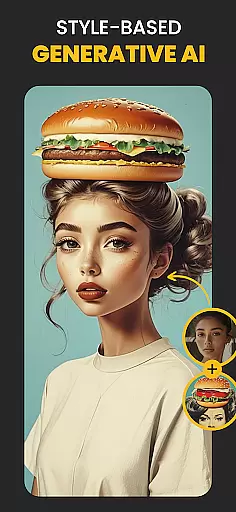
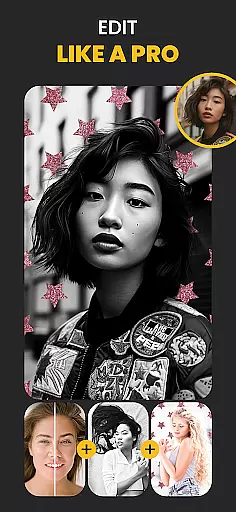
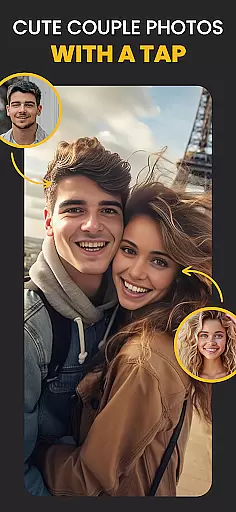
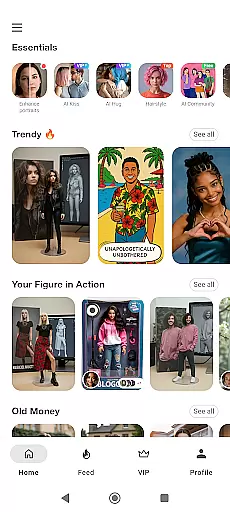
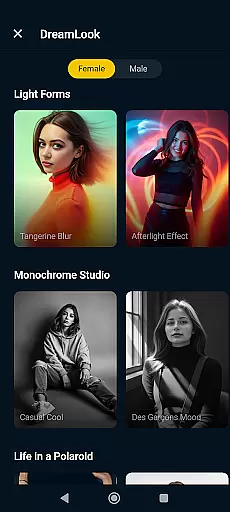
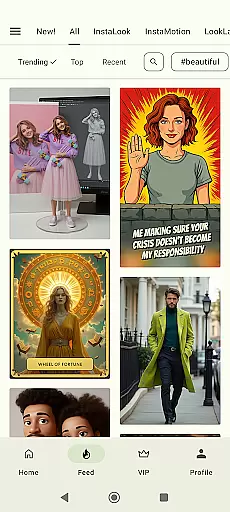
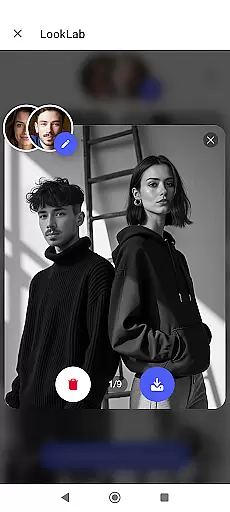
Photo Lab Picture Editor & Art is a versatile photography app that combines advanced AI technology with creative photo editing tools. This app allows users to transform their photos into stunning artworks using neural photo art styles, realistic photo effects, and face filters. With over 50 pre-set styles powered by AI, it offers an intuitive way to enhance images while maintaining professional-quality results.
The app also features a robust collection of photo frames, background editing options, and face montages. Users can easily swap faces, apply cartoon or vintage filters, and create eye-catching collages. Whether you're looking to accentuate a cherished memory or add artistic flair to your selfies, Photo Lab provides all the necessary tools in one convenient package. Its cloud-based processing ensures smooth performance without overloading device storage.
Photo Lab stands out with its innovative AI-driven features that cater to both casual users and photo enthusiasts. The Neural Photo Art Styles feature uses machine learning algorithms to automatically convert any image into an artistic masterpiece, offering styles ranging from oil paintings to modern art. This functionality simplifies the process of creating visually striking images without requiring professional skills.
The app's Face Photo Montage Maker enables automatic face detection and swapping, allowing users to transform themselves into cartoon characters or celebrities seamlessly. Additionally, the Background Editor tool lets users change or remove backgrounds with precision, providing endless creative possibilities. With a wide selection of photo filters including 3D effects, vintage looks, and anime styles, users can customize their images to match different moods and themes. These comprehensive features make Photo Lab an all-in-one solution for creative photo editing.
Real-time capture and preview functionality is essential for ensuring that users can immediately see the results of their photo edits. Photo Lab Picture Editor & Art provides an intuitive experience by allowing users to witness changes as they apply various filters and effects.
The app's advanced AI technology processes alterations swiftly, providing a seamless transition from original to edited photo. This immediate feedback empowers users to make precise adjustments, enhancing their creative workflow without any lag or delay in rendering.
With real-time previews, users gain confidence in their editing choices, as they can observe the impact of different artistic styles and photo frames instantly. This feature significantly reduces the guesswork involved in photo editing, leading to more satisfying and professional-looking outcomes.
Ultimately, the real-time capture and preview feature caters to both amateur and professional photographers by streamlining the editing process, making it faster and more efficient while maintaining high-quality results.
AI beauty and enhancement features are revolutionizing the way we approach photo editing by offering natural-looking improvements without compromising the authenticity of the original image. Photo Lab Picture Editor & Art leverages sophisticated algorithms to enhance facial features with subtlety and care.
This app intelligently detects faces within photos and applies enhancements that highlight natural beauty. Users can enjoy subtle touch-ups like skin smoothing and teeth whitening, which are rendered so delicately that they preserve the realism of the subject's appearance.
By focusing on naturalness, Photo Lab ensures that edited images do not appear over-processed or artificial. The AI-driven enhancements adapt to each unique face, promoting diversity and individuality while still delivering polished results.
Whether refining selfies or perfecting portrait shots, this tool equips users with the means to elevate their photography while retaining genuine expressions and characteristics, thus achieving professional-grade edits with ease.
User-friendly interface
Wide range of AI styles
Realistic photo effects
Cloud-based processing
Versatile editing tools
Requires internet connection
Some features are premium
Occasional ads
Limited offline functionality
Processing time varies

Photo Album Watch Face shows your favorite pictures as a Watchface.
 1.90
1.90
Superimpose one photo on top of another using the original Superimpose app!
3.20
USB Storage Access for Photos, Videos, Music and Documents
3.80
Future baby face generator: AI kids generator, kid face! What my baby look like?
4.40
Smart, light, and fast photo and video gallery
4.30
Use AI Video Generator to turn your words to ai generated videos.
4.50
Catch sunlight, sunrise sunset times and sun phases with the AR sun tracker.
4.10
Remote control the phone camera shutter from your smartwatch and take a picture
1.60
A unique animation app. Powerful, easy to use, and lots of fun.
4.30
Safe & smart flight with Go Fly drone controller for 40+ drone camera, zone map
4.50
Create Business Headshots, Polaroid Filter, Retake Photos,Profile Pics,AI Photos
4.50
Photo Exif Editor allows to view, add and modify EXIF data of multiple photos
4.50
All-in-One Editor & AI Photo Enhancer, Beautify & Retouch, Collage, Cartoonify
4.20
A light meter for true photographers.
4.20
How old age camera Gender Swap App Face Shape Hairstyle App Hair Styler App fun!
4.00
Astrophotography with your smartphone, photo live stacking and much more!
3.90
Hair color changer, AI haircut app, fun hair editor and buzz cut filter for all!
3.80
HD Photo gallery and photo manager to edit, hide private photos, videos & albums
4.5
Add a dreamy vibe to your selfies and videos with soft style filters
4.1


User Reviews