
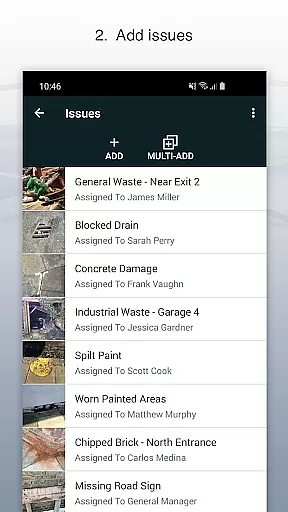
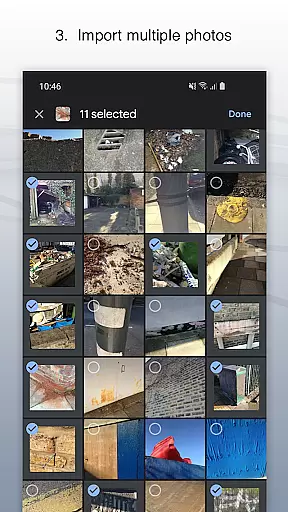
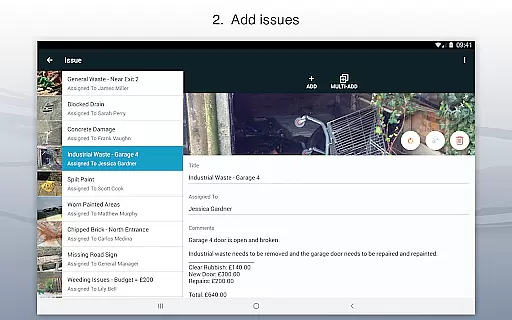
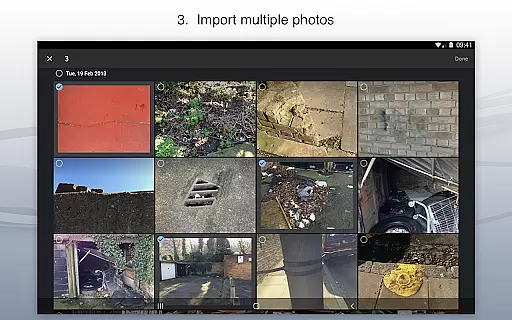
Site Audit Pro is a powerful productivity tool designed to streamline the auditing process for businesses across various industries. This mobile application allows users to efficiently record issues by capturing photos, adding detailed descriptions, assigning tasks, and including comments all within a single platform. With its intuitive interface, auditors can annotate images to emphasize critical information, ensuring that nothing important goes unnoticed.
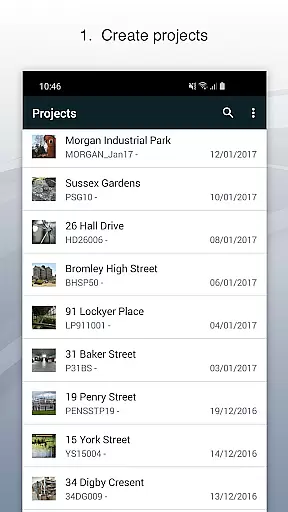
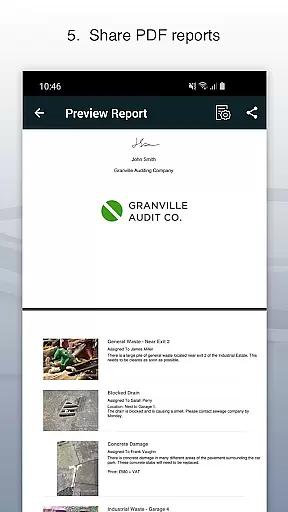
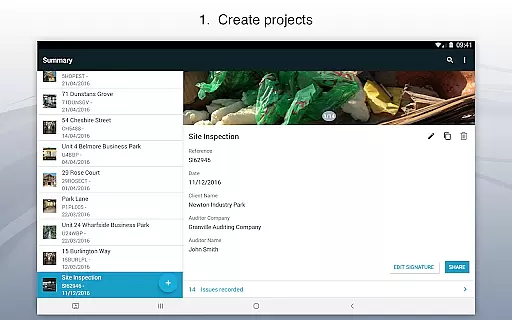
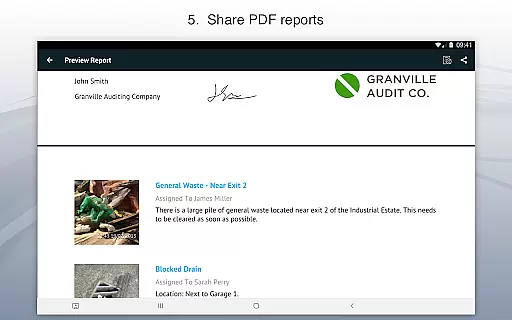
The app's standout feature is its ability to organize identified issues into specific projects, where users can input relevant site and client details. This functionality not only enhances project management but also facilitates the creation of professional audit reports that can be instantly shared via email or cloud services like Dropbox in PDF format. Site Audit Pro serves as an indispensable companion for safety inspections, snagging lists, punch lists, and quotation preparations, making it an essential tool for over 40,000 businesses worldwide seeking to improve their operational efficiency.
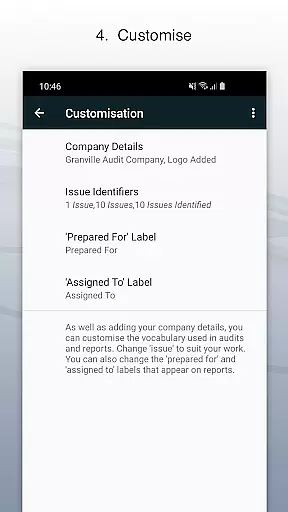
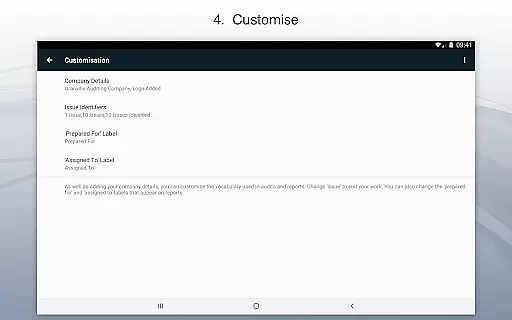
Site Audit Pro offers a comprehensive suite of features tailored to meet the needs of modern auditing professionals. One of its key capabilities is the ability to customize reports extensively. Users can personalize their audit documents by incorporating company logos, auditor names, signatures, and other relevant details, thereby adding a professional touch to every report generated. The flexibility extends to adapting the language used in reports to suit different industries, allowing phrases such as 'Found 12 problems' instead of the default options.
Another remarkable aspect of this app is its range of eight professionally designed report templates, which can be further customized to align with individual preferences or corporate branding guidelines. These templates ensure that regardless of whether you're conducting audits, inspections, creating punch lists, or performing site walks, your findings are presented in a clear, organized manner. Additionally, the app supports seamless sharing of these customized reports through multiple channels, enhancing collaboration and communication among team members and clients alike.
Effective task management is essential for productivity-focused applications like Site Audit Pro. This app simplifies the auditing process by allowing users to record issues, assign tasks, and add relevant comments seamlessly.
Site Audit Pro enables users to organize identified issues into specific projects, ensuring that each audit or inspection is well-documented with site and client details. The ability to annotate photos further enhances clarity and precision in communicating findings.
Users benefit from real-time collaboration features, as they can assign tasks to team members directly within the app. This ensures accountability and timely resolution of issues, making audits faster and more efficient.
By streamlining task management, Site Audit Pro significantly reduces the time spent on organizing data, allowing businesses to focus on implementing solutions rather than managing paperwork.
Cross-device synchronization is a critical feature for modern productivity tools, ensuring that all data is accessible across multiple devices. Site Audit Pro excels in this area by providing reliable synchronization that keeps all project information up-to-date.
With Site Audit Pro, users can start an audit on their mobile device during a site visit and continue working on it from a desktop or tablet back at the office. This seamless transition between devices ensures no detail is missed and all data remains consistent.
The app's instant report sharing capability eliminates the need to return to the office to generate reports. Whether sharing via email or cloud services like Dropbox, users can be confident that the latest version of their audit is being distributed.
This reliable synchronization not only saves time but also enhances team collaboration, as all members have access to the most current information regardless of their location or device used.
User-friendly interface
Customizable report templates
Efficient issue tracking
Wide industry applicability
Professional presentation options
Limited free version features
Occasional syncing issues
Subscription cost may be high
No offline mode available
Learning curve for new users

 4.20
4.20
Smart PDF reader & editor to view, organize and manage PDF documents easily.
3.70
Absolutely the best CNC machinist speed and feed calculator around. fswizard.com
4.60
App lock - lock apps with fingerprint, password, pin or pattern, protect privacy
4.70
Fill, sign & send docs, forms, agreements & contracts via electronic signature.
4.50
Translate text/voice/photos in 150+ languages. Offline & fast translator app.
4.50
Experience and share your SolidWorks designs on your Android® phone and tablet.
2.50
Lightweight PDF, Word, Excel reader.
4.60
Put a lock on your cloud: Take the security of your data into your own hands
3.70
Multilingual translator for text, voice, and image translation!
4.90
QuickBooks Workforce lets teams view pay info and track time in one place.
4.70
Quickly and easily keep track of your work shifts
4.70
Secure, fast, open-source, Remote Desktop Client for Windows and Linux with SSH
4.60
This small app MUST BE INSTALLED after purchase, else license won't work
4.40
Secure your apps with lock screens, use custom themes and different features.
4.40
Activate Two Factor Authentication (2FA or Multi OTP), Password manager and more
4.10
Intelligent AI Assistant
4.10
* block pre-roll ads, pop-up and forced redirect ads * Samsung certification app
4.00
All in one sketching tool. Technical and General drawing. Online Maps support.
3.70


User Reviews