
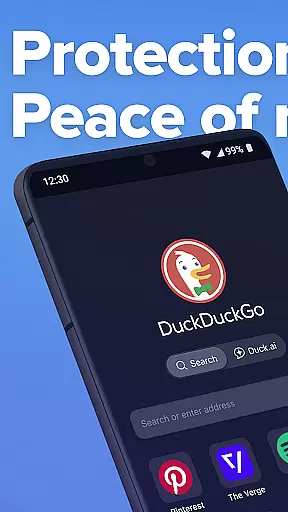
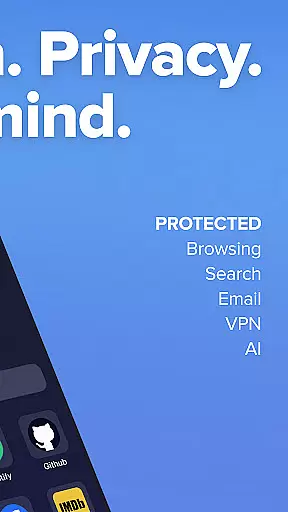
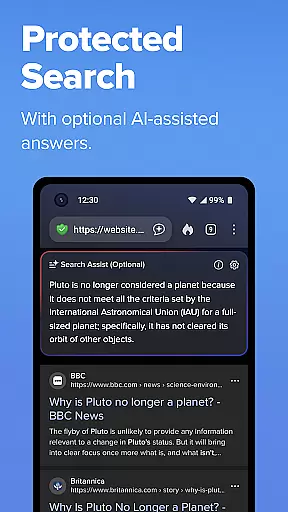
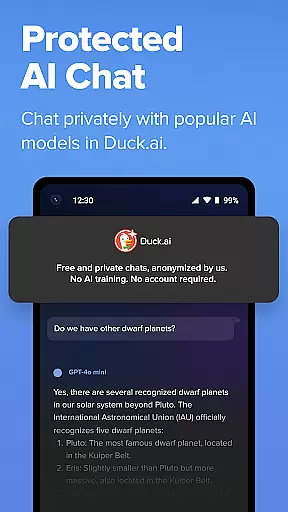
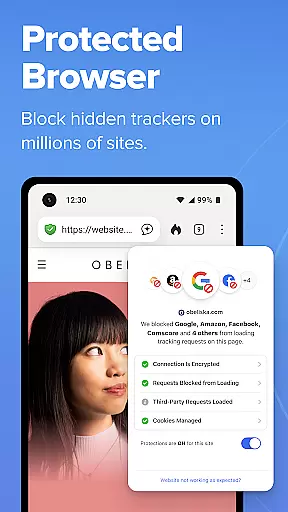
DuckDuckGo is a privacy-focused search and browsing application designed to protect users' personal information from being tracked by hackers, scammers, and invasive companies. The app offers a built-in search engine that functions similarly to Google but without tracking user searches. It includes features such as ad tracker blocking, cookie blocking, and private AI interactions through Search Assist and Duck.ai.
With millions of users opting for DuckDuckGo over other browsers like Chrome, the app stands out with its robust privacy protections. Users can browse the web without their data being collected or exploited, thanks to features like 3rd-Party Tracker Loading Protection, which blocks most trackers before they load. Additionally, optional integrated features like Email Protection and Duck Player enhance privacy further by anonymizing user data and providing a distraction-free YouTube viewing experience.
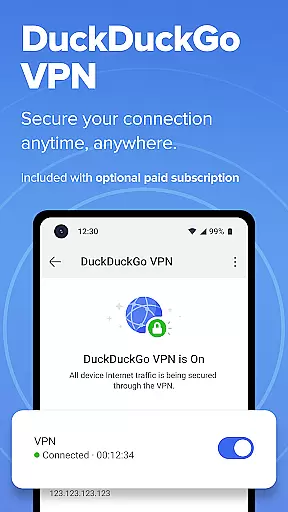
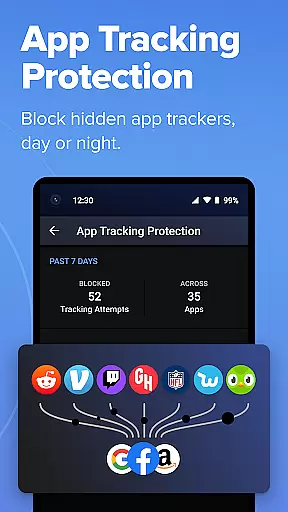
The app also provides advanced security measures such as enforcing encryption on many sites and blocking hidden trackers in other apps, ensuring comprehensive protection around the clock. DuckDuckGo's subscription service offers additional benefits including a secure VPN, advanced AI models, personal information removal, and identity theft restoration, making it a holistic solution for safeguarding digital privacy.
DuckDuckGo boasts an array of features designed to maximize user privacy and security. One of its standout features is the built-in search engine, which allows users to search the web without being tracked, unlike traditional search engines. This ensures that user searches remain private and are not used for targeted advertising or data collection.
In addition to its search capabilities, DuckDuckGo offers robust browsing protections. The 3rd-Party Tracker Loading Protection feature blocks most trackers before they load, significantly enhancing user privacy. The app also includes private AI interactions through Duck.ai, allowing users to engage with AI models without their data being used for training. Furthermore, optional features like Email Protection and Duck Player provide additional layers of privacy by anonymizing user data and offering a YouTube viewing experience free from targeted ads and cookies.
DuckDuckGo goes beyond basic browsing protections by incorporating advanced security measures. The app enforces encryption on many sites, protecting user data from network and Wi-Fi snoopers. It also blocks hidden trackers in other apps, preventing third-party companies from invading user privacy. These features collectively ensure that users have a secure and private browsing experience, distinguishing DuckDuckGo from other productivity applications.
DuckDuckGo focuses on core task management by offering a suite of privacy-centric tools that help users take control of their online activities. The app provides robust search functionalities without tracking, ensuring that your searches remain private and secure.
With features like 3rd-Party Tracker Loading Protection, DuckDuckGo blocks most trackers before they load, significantly enhancing user privacy. This proactive approach to blocking unwanted data collection ensures a safer browsing experience while managing online tasks efficiently.
In addition to protecting searches and browsing history, the app offers optional integrated AI features such as Search Assist and Duck.ai. These tools provide intelligent support without exploiting user data, maintaining privacy while enhancing productivity.
Users can also benefit from advanced options like Email Protection and App Tracking Protection, which further shield personal information in various digital environments. By focusing on these core aspects, DuckDuckGo empowers users to manage their online tasks with confidence and peace of mind.
Cross-device synchronization is a critical feature for productivity apps, and DuckDuckGo excels in this area by providing reliable and secure syncing options. Users can sync encrypted bookmarks and passwords across multiple devices, ensuring seamless access to important information regardless of the device being used.
The app's Sync and Backup feature allows users to maintain consistency in their browsing data and preferences across different platforms. This means you can start a task on one device and continue it on another without missing a beat, all while maintaining top-notch security standards.
DuckDuckGou2019s synchronization process is designed to be both efficient and secure. By encrypting data before it is synced, the app ensures that personal information remains protected during transfer. This level of encryption guarantees that even if data interception occurs, the information remains unreadable and secure.
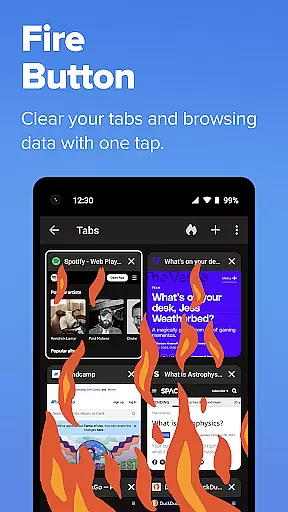
Furthermore, the ability to clear tabs and browsing data instantly with the Fire Button adds an extra layer of reliability. Whether you're switching devices or simply clearing your session, DuckDuckGo ensures that your data management is both thorough and trustworthy, enhancing overall productivity and security.
Privacy-focused
No tracking
Ad blocker
Secure search
Free to use
Limited features
No bookmarks
Fewer results
Basic UI
Paid extras

The long-awaited modern gallery app for your Nextcloud server
 4.70
4.70
Ads Free App! Editor, Hide File, Copy, Move, Delete and Rename.. all facility av
1.70
Total remote control for your Android device, PC and cloud services (IFTTT)!
4.20
Protect and view your important info on your phone and tablet with eWallet®
4.80
All in One PDF Reader: Manage, Read and Edit your Documents
4.20
Cloud storage, automatic phone backup, and more.
4.10
To do list widget with a notebook organizer, checklist, simple shopping list
4.60
Quickly and easily keep track of your work shifts
4.70
Put a lock on your cloud: Take the security of your data into your own hands
3.70
Multilingual translator for text, voice, and image translation!
4.90
Understand anything with a personalized AI research assistant
4.80
App lock - lock apps with fingerprint, password, pin or pattern, protect privacy
4.70
Scan paperwork into PDF/JPG, generate your own e-signature and send fax or email
4.70
Tally and goal counter for Wear OS & mobile
4.50
Docker, Kubernetes management over Portainer Mobile
4.40
Todo reminder
4.10
All in one sketching tool. Technical and General drawing. Online Maps support.
3.70
Find and delete junk files & block unwanted notifications & manage files
3.70
Code on-the-go with VScode for Android. Edit,debug and collaborate from mobile!!
3.10


User Reviews