




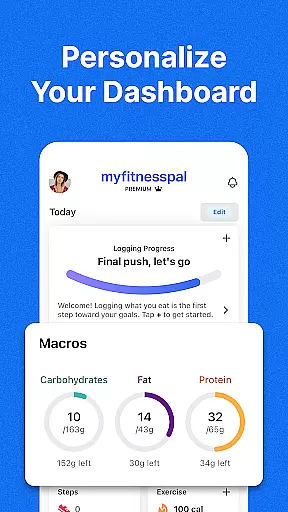

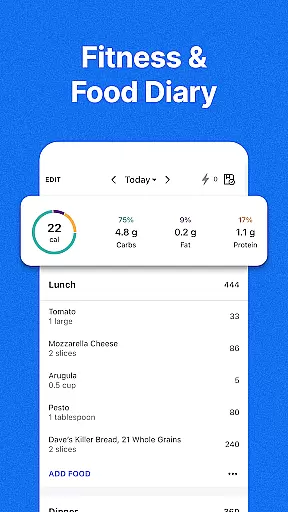
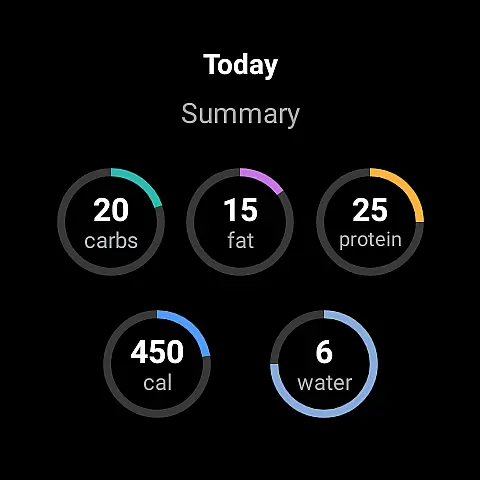
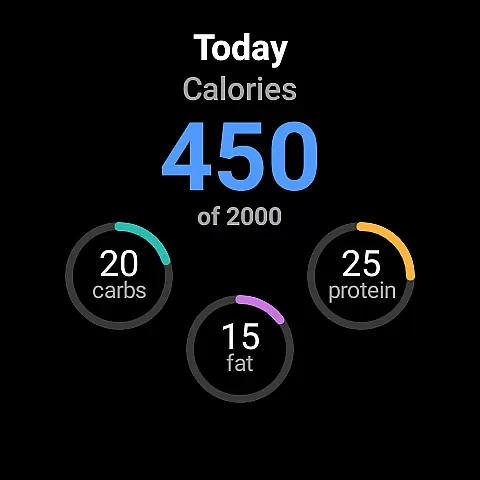
MyFitnessPal is a comprehensive health and fitness tracking app designed specifically for Android Wear users. This application serves as your personal nutritionist, calorie counter, and workout tracker all rolled into one. With over 20 million foods in its database, it allows you to effortlessly log meals, track macronutrients, and monitor hydration levels directly from your wrist.
Beyond basic food logging, MyFitnessPal offers advanced features including integrated fitness tracking, personalized meal planning, and wearable device synchronization. Whether you're aiming for weight loss, muscle gain, or simply maintaining a balanced lifestyle, this app provides the tools you need to succeed. Its intuitive interface and detailed analytics make it an indispensable companion for anyone serious about their health journey.
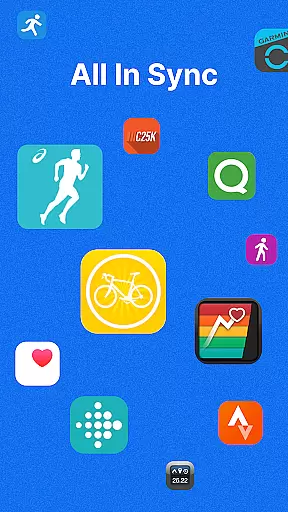
The true power of MyFitnessPal lies in its ability to connect with over 40 different apps and devices, creating a seamless ecosystem for tracking all aspects of your wellness. From smartwatches to fitness trackers, the app ensures you have access to real-time data and insights wherever you go. This makes it particularly valuable for Android Wear users who want to maintain their fitness routines while on the move.
MyFitnessPal stands out with its extensive feature set tailored for health-conscious individuals. The app's core functionality revolves around its robust food tracking system, which includes an impressive database of over 20 million food items. Users can quickly log meals using barcode scanning, voice commands, or manual entry, making it incredibly convenient to track nutritional information throughout the day.
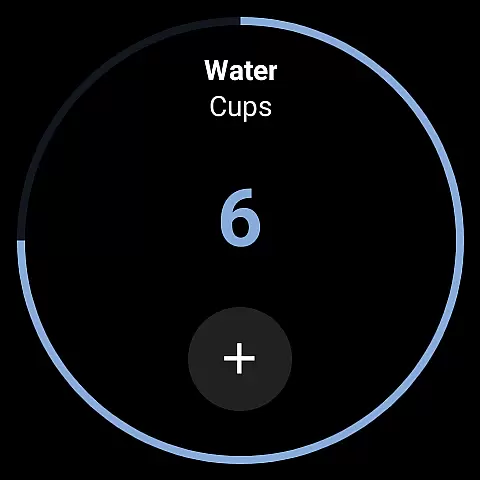
One of the most remarkable aspects of MyFitnessPal is its comprehensive macro tracking capabilities. Unlike other fitness apps, it allows users to set specific goals for carbohydrates, proteins, fats, sodium, and fiber intake. The built-in water tracker ensures proper hydration, while the integrated activity tracker monitors workouts and daily steps. These features work together to provide a holistic view of your health metrics.
Premium subscribers gain access to advanced features such as personalized meal plans, grocery delivery integration, and smart meal tracking tools. The app's Wear OS compatibility brings essential tracking functions directly to your wrist, including complications for quick nutrient monitoring and tiles for instant access to various tracking features. This level of customization and convenience makes MyFitnessPal an exceptional tool for managing your health on the go.
Companion app integration is essential for users who want a seamless experience between their mobile devices and wearables. MyFitnessPal offers robust companion app features that ensure data flows smoothly between your phone and Wear OS devices.
The app allows you to sync critical health metrics such as calorie intake, water consumption, and exercise logs effortlessly. This ensures that whether you're using your smartphone or smartwatch, all your data is up-to-date and accessible from either device.
Users benefit from real-time updates and notifications on their Wear OS devices, which helps them stay on track with their fitness goals throughout the day. The ability to log meals, track hydration, and monitor workouts directly from your wrist enhances convenience and encourages consistent usage.
This level of integration not only simplifies the user experience but also maximizes the utility of wearable technology, making it easier than ever to maintain a healthy lifestyle without being tied to a single device.
Wear OS and device compatibility are crucial factors when choosing a fitness app, ensuring that it works seamlessly across various devices. MyFitnessPal excels in this area by offering extensive support for Wear OS, allowing users to utilize their smartwatches effectively.
The app supports a wide range of Wear OS devices, providing functionalities like step tracking, workout logging, and even macro tracking right from the watch face. This broad compatibility ensures that no matter what Wear OS device you own, MyFitnessPal will integrate smoothly into your routine.
By leveraging the capabilities of Wear OS, MyFitnessPal enhances user engagement through quick access to vital stats and easy logging options. Users can add complications to their watch faces for at-a-glance nutrient tracking, streamlining the process of monitoring daily intake and activity levels.
This compatibility empowers users to make the most out of their wearable technology, promoting an active lifestyle while maintaining the flexibility to switch between devices without losing functionality or data continuity.
Comprehensive food database
Seamless device integration
Personalized health insights
Robust tracking features
User-friendly interface
Premium features costly
Occasional sync issues
Complex settings
Limited free features
Ads in free version

Christmas is near, let's count together the days left until Santa comes
 4.0
4.0
Elegant animated Christmas tree with multiple customization options
4.20
Easy Voice Recorder is your everyday companion to record important moments.
4.70
Watch face for Wear OS.
4.20
Sleek, highly customizable watch face inspired by Galaxy Watch Circle Dashboard.
4.0
Nutrition, Macro tracker: Food, fitness & healthy diet tracking for weight loss
4.60
Stay in touch with your friends and family using LINE!
3.40
Hyper-Realistic Airplane Dashboard Watch Face With 10 Skins and Custom AOD
4.00
Start and succeed with PAP
4.10
Beautiful, colorful and practical watch face. For Wear OS devices.
5.00
A modern premium sporty hybrid watch face for Wear OS by Ballozi
4.70
Walking app for weight loss: walk & step tracker, pedometer, indoor treadmill
4.60
Simple, helpful messaging by Google
4.60
MyNISSAN® lets you remotely control your car from your phone.*
4.50
Current temperature, weather hourly, weather radar by the weather forecast app
4.40
Digital watch face. For Wear OS devices.
4.40
Snowflake Rose Gold Watch Face - Digital, modern, & sleek with GYRO effect.
4.10
Christmas and New Year - Themed Watchface
4.0
Contemporary digital watch face with five complications
4.1


User Reviews